MAME exit in Maximus Arcade

Carlito3

Active member
Feedback
5 (100%)
Credits
115CR
This is killing me!

I’ve set up Maximus Arcade on the front end of MAME in a self-built arcade cab with one joystick, 6 buttons (3 per player in alternative play) P1, P2,P3 and P4 start buttons and a credit button.

I literally cannot get MAME to quit properly using cab buttons.

I have set Maximus up to have P1 and P2 pressed simultaneously as quit to front end.

I have set the same up in the MAME inf file.

Only way I can quit a game and get back to Maximus Arcade game selection menu (I have MAME set up as the only emulator showing) is CTRL+ALT+DEL.

Anyone help. PLEASE!

Cheers

AndyCarlito32020-04-04 01:13:40
 

andyman

always pull away from your face
Credits
1,059CR
Have you tried this (from Maximus FAQ) :

Make sure that you are exiting your emulator by pressing the "quit
emulator" key that was mapped in the MA preferences panel,not the
emulator's quit key. In some cases you may have to hold the key down for
up to 10 seconds (some emulators don't share computer resources).
 

northwest

Active member
Feedback
6 (100%)
Credits
119CR
Not used maximus since launchbox
smiley20.gif
, but I do recall maximus having a quit emulator bind . I had mame, NES, genesis and the maximus emulator termination was set to all. Have to say maximus was the best at the time for me.
 

Mr Bond

Active member
Feedback
2 (100%)
Credits
76CR
Never used maximum arcade only hyperspin but had a similar problem and I had to make sure exit emulator key was ESC which is what Mame usually uses. I’d have a separate button if I’m honest just for that and map it to ESC key
 

Carlito3

Active member
Feedback
5 (100%)
Credits
115CR
Thanks. I think I am going to have to do that - set ESC as the quit executable - now just need to try and remember how to set the iPac up so that P1 + P2 together = ESC (or I may just do as you say and fix up a quit game button).
 

Carlito3

Active member
Feedback
5 (100%)
Credits
115CR
Mr Bond said:
Never used maximum arcade only hyperspin but had a similar problem and I had to make sure exit emulator key was ESC which is what Mame usually uses. I’d have a separate button if I’m honest just for that and map it to ESC key

Thank you Mr.Bond, that worked (making exit emulator as ESC (which is what it is by default I believe so Lord knows why I ever changed it!)).

What I did find is, sometimes I have a tendency to press P1 and P2 simultaneously. That doesn’t work. You have to press and hold P1 and then P2. Apologies if this last bit is obvious but I only just noticed it and I’ve been pis#£ng about with MAME for years.

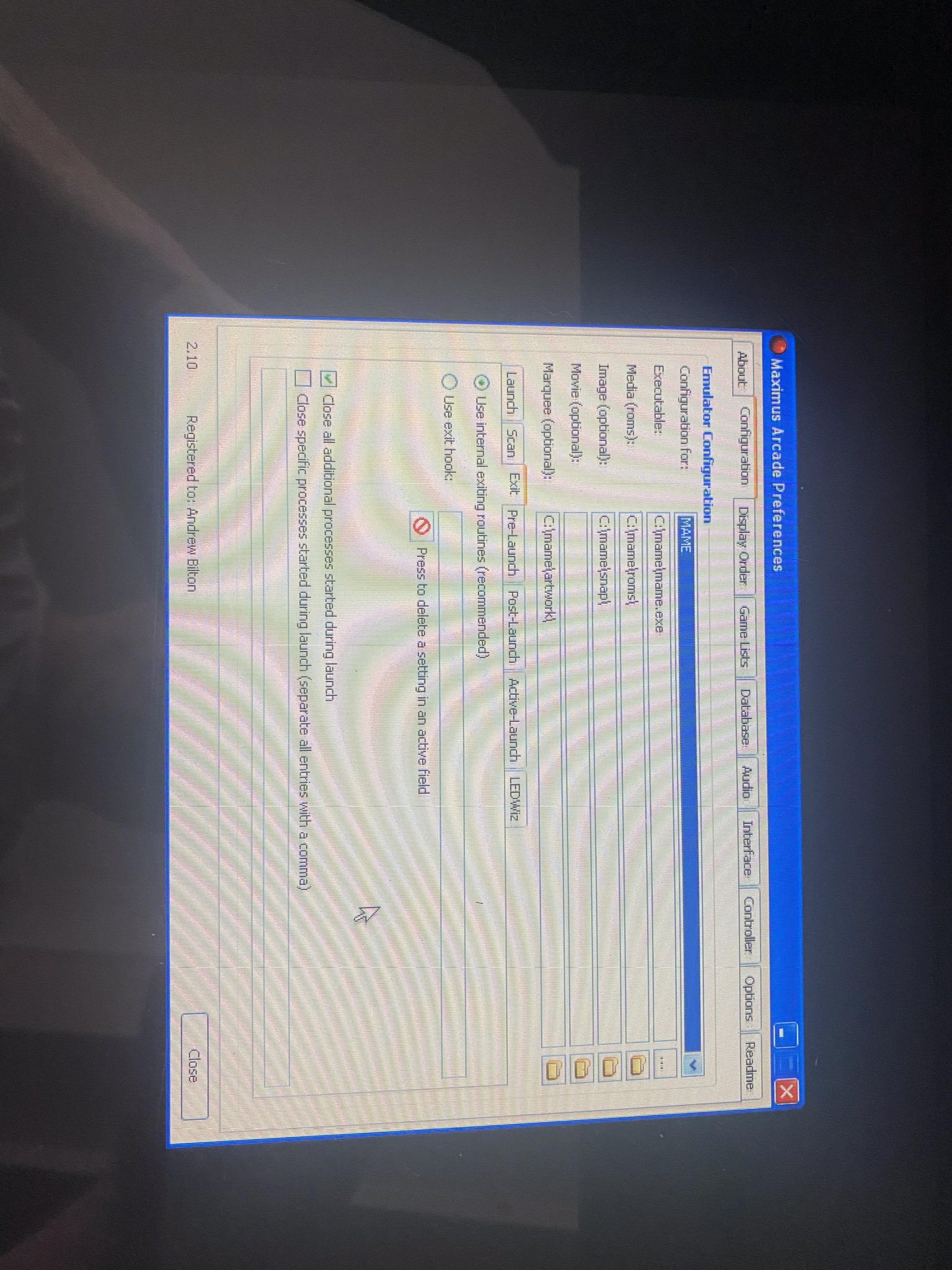
Will upload some photos of Maximus Arcade settings that worked - if only to remind myself next time I mess it up and start searching on here!

Thanks again, for the, as always speedy, responses/help guys.
 

ZedEx48K

8-Bit
Feedback
2 (100%)
Credits
1,381CR
Ignore the MA way to quit, you need to set it in MAME, find the UI cancel in general controls, set that to the combo button press, but remember to do it again straight away with the esc key so that that still works too.
 

Carlito3

Active member
Feedback
5 (100%)
Credits
115CR
Note to self 17th October 2025.

In order to set Quit Executable to ESC as per last screenshot above you have to press ctrl and p together from a plugged in keyboard when Maximus Arcade is running to access the preferences screen be able to set it up.

If you close down Maximus Arcade and access the Maximus Preferences via the separate program, when you press ESC to set the Quit Executable field it kicks you out of the program (and does NOT set that field to ESC).

You have to press ctrl and p whilst Maximus Arcade is running to bring up the preferences screen and do it from there - and do not forget to save once changed!
 
Top