

PCB Repair - Midway RALLY-X
Game: Original Midway Rally-X, 2 board set.
Purchase Description: Complete but Untested.
Fault on Receipt: Not working/Dead.
Upon receipt, both boards appear to be in generally good
condition. There appears to be two previous chips that have been replaced on
the top (video) board. One thing I quickly noticed when inspecting the pcbs is that
one of the connector pins on one of the boards that connect via the 3
inter-connect cables was bent over…
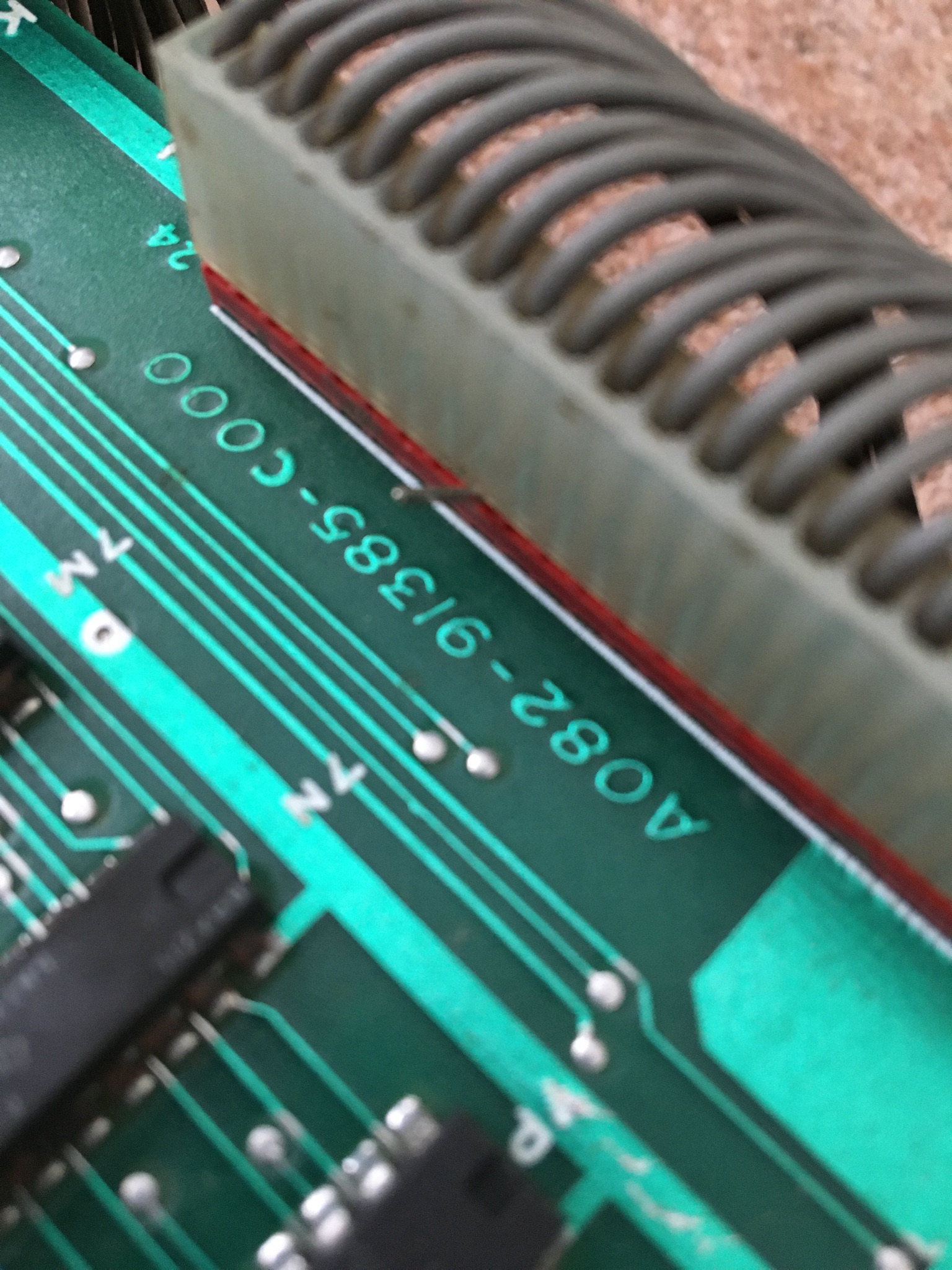
…so my first job was to straighten the pin back. Upon
further inspection I noted that the masked roms and Fujitsu custom chips had
some bad black tarnish and rust on them. It’s almost certain that these chips
are going to be suffering from the usual leg rot...

So I plugged in the board, turned it on and nothing
happened, just a blank black screen. Checked the voltages to various parts of
the boards, all fine.
Next thought was to reseat all the socketed chips. The
first chip I lifted was a 2114 ram and the whole socket housing came up with
it! I knew that Midway sockets are notorious for their poor quality and it’s
recommended to replace them so I knew I would have to change most of them.
Also, when lifting the masked proms a lot of the legs broke off the chips…
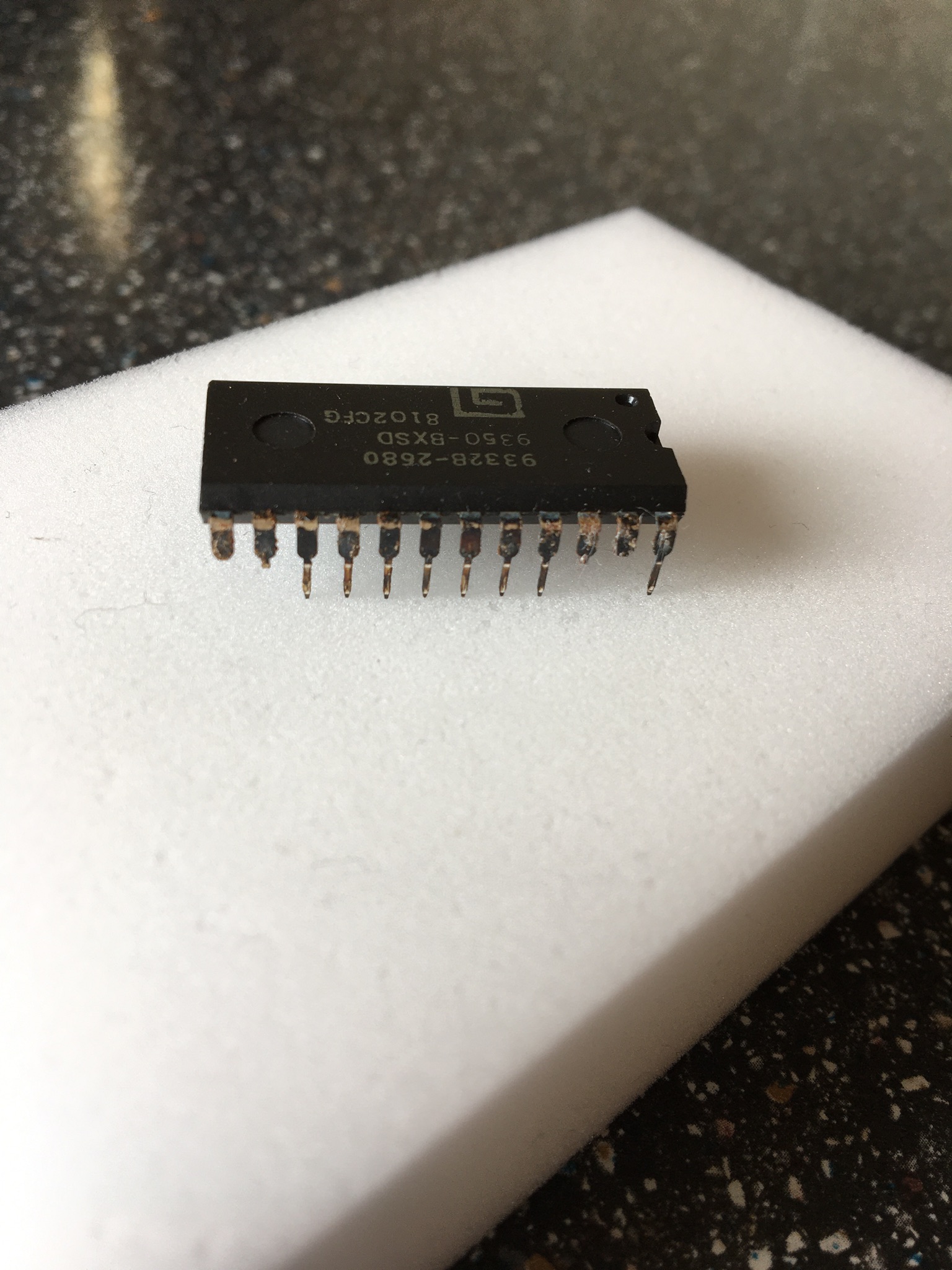
I’m going to either have to get a replacement set of roms
burnt (probably some 2532’s with a slight modification to 4A on the board) or
try and salvage them. I’ve not got a facility to burn a set of 2532’s so I
opted for the latter and went about trying to repair them.
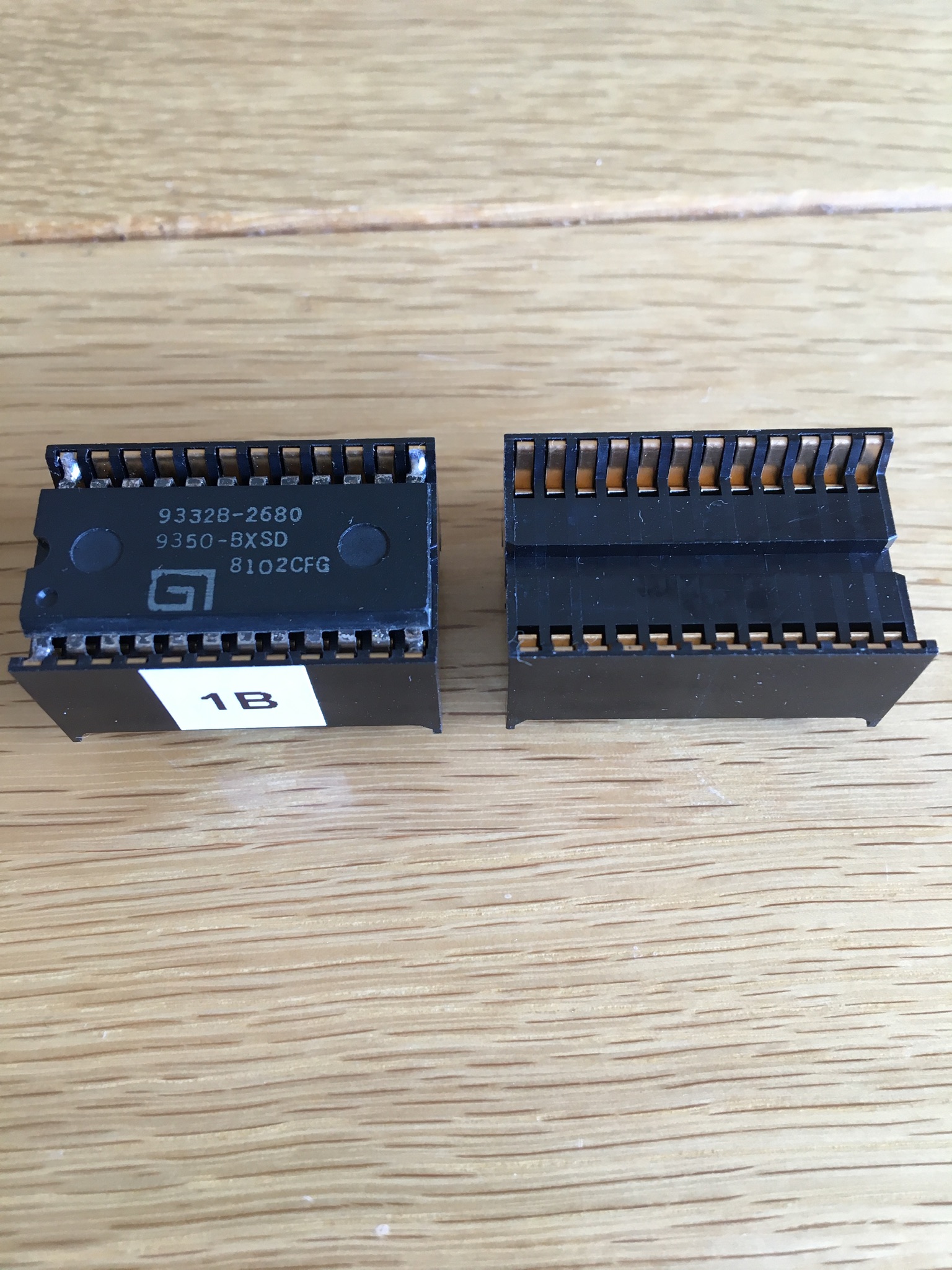
I purchased some deep 24pin sockets from a seller on eBay
with the thinking that the broken pins will still make contact with the side of
the socket. I gently cleaned all the contacts and pushed them into the sockets.
I used a multi-meter to check continuity between every pin and added a dab of
solder where needed to help make the contact between leg and socket…
Considering the problems I had removing the rams and roms,
I thought it best if I didn’t touch any of the custom chips at this time. So
they stayed untouched and I checked the continuity instead between the legs and
the bottom of the socket solder joins. Continuity checked out fine on all 3
custom chips.
I fitted all new sockets to the 12 rams, 5 proms and the
Z80. The remaining original sockets seemed good and continuity checked out fine
when the original chips where replaced.
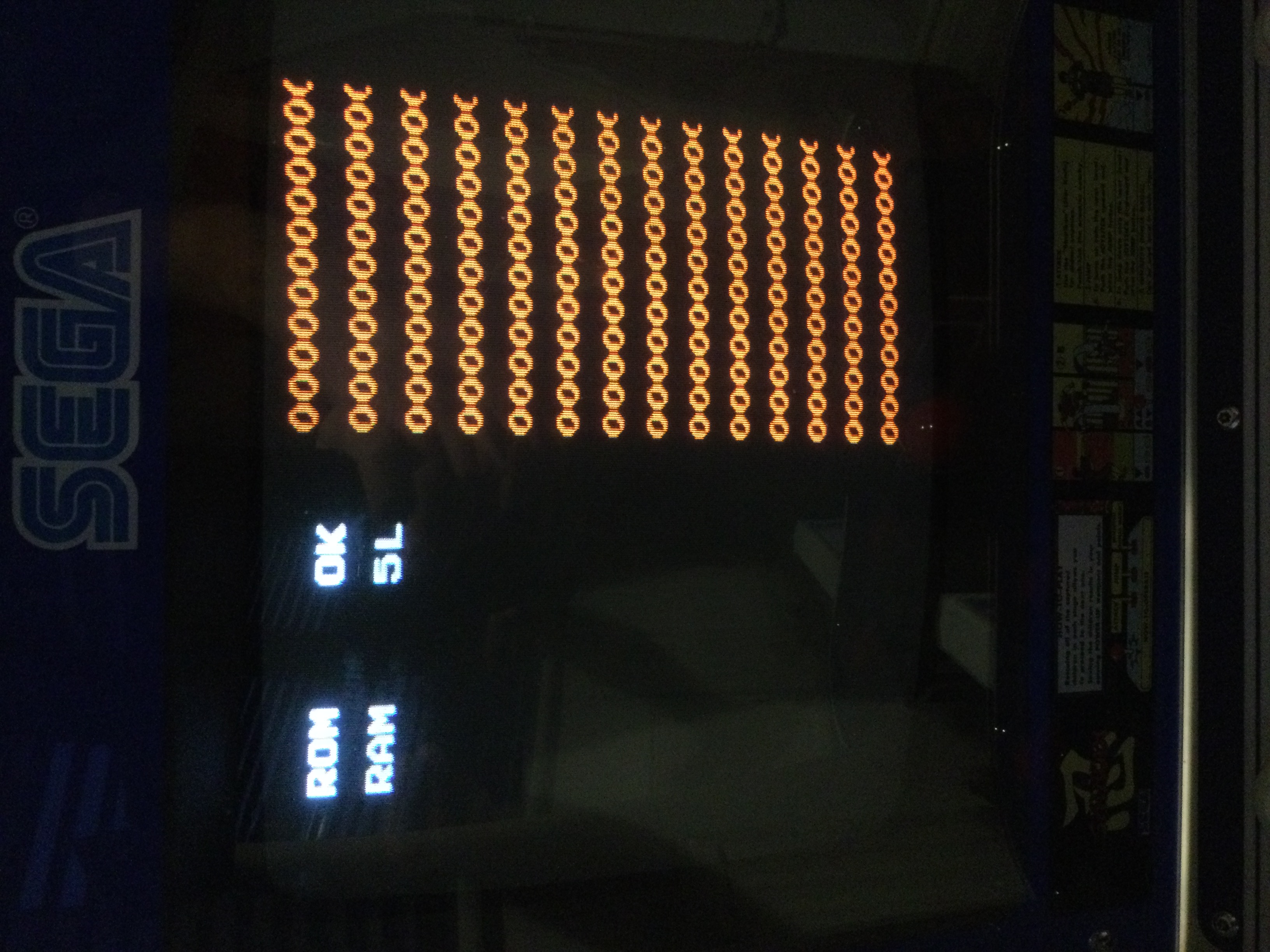
Re-plugged the board set back in and turned it on. I’m now
getting a black screen with “ROM OK, RAM 5L” flashing error in white text. The
manual states that 5L is the ram at 6M but I remembered that the manual was
wrong. Midway later issued a technical bulletin and there was an amendment to
the ram positions, and sure enough error 5L is actually the ram at 6N. I
replaced the 2114 ram at 6N from a known working chip borrowed off my spare
Elevator Action stack but it didn’t make any difference. I also tried swopping
the 12 ram chips around but again it made no difference, still getting error 5L.
I came to the conclusion that the ram is probably fine and there is something
else wrong here. I also swopped the Z80 with a known good processor and again
this made no difference. Checked for the clock signal on pin6 and also the
reset pin26 (high) on the Z80, both were fine.
Dropped a message on the forum for some ideas on what to
look at next. Suggestions was to check the inter-connect cables and the 2x 245
buffers at 5D & 5E. I checked continuity on every pin on the inter-connect
cables and they were fine. Using a logic probe, I probed at the pins on the two
buffers whilst looking at the schematics. I couldn’t get a beeping clock signal
on pin19 on 5D and I couldn’t conclusively say if there was a problem with it,
so I de-soldered both the 245’s from the board anyway, along with the 139 at 5A
which is connected to 5D. Checked all 3 TTL chips and all read good in my
tester. Refitted new 245’s and replaced the original 139.
Next line of thought is maybe the NVC285 Custom at 2D is
faulty. So I carefully lift the chip and by luck none of the legs break! I
gently clean the legs and refit the chip in a spare 28 pin socket. I then fit a
new socket to the pcb and try a Sync Buss Board from a PacMan pcb (which is the
same as the NVC285 custom), but it still makes no difference.
I’ve recently purchased a 2114 ram tester, so I decided
to check all 12 rams with it. One reported bad (not the one at 6N) so I replaced
it with a known good chip. Game still boots up to “ROM OK, RAM 5L” but there is
now a load of orange “0”’s filling the right side of the screen…
Now that I’ve confirmed that the ram is good, I need to
look elsewhere. My next step is to check the custom Video Shifters (the 2x
NVC293 IC’s). I’ve not got any spare of these customs to try, so I’m thinking
that if I swop 6P and 9R over (they are both the same custom chip) then it
might give me an idea if one of them is faulty. I carefully remove 6P and it comes
out intact, but sadly a couple of the legs on 9R break whilst lifting it out
from the socket. One of the legs is snapped right at the top of the chip so
it’s going to need some careful surgery and a donor leg to salvage it…
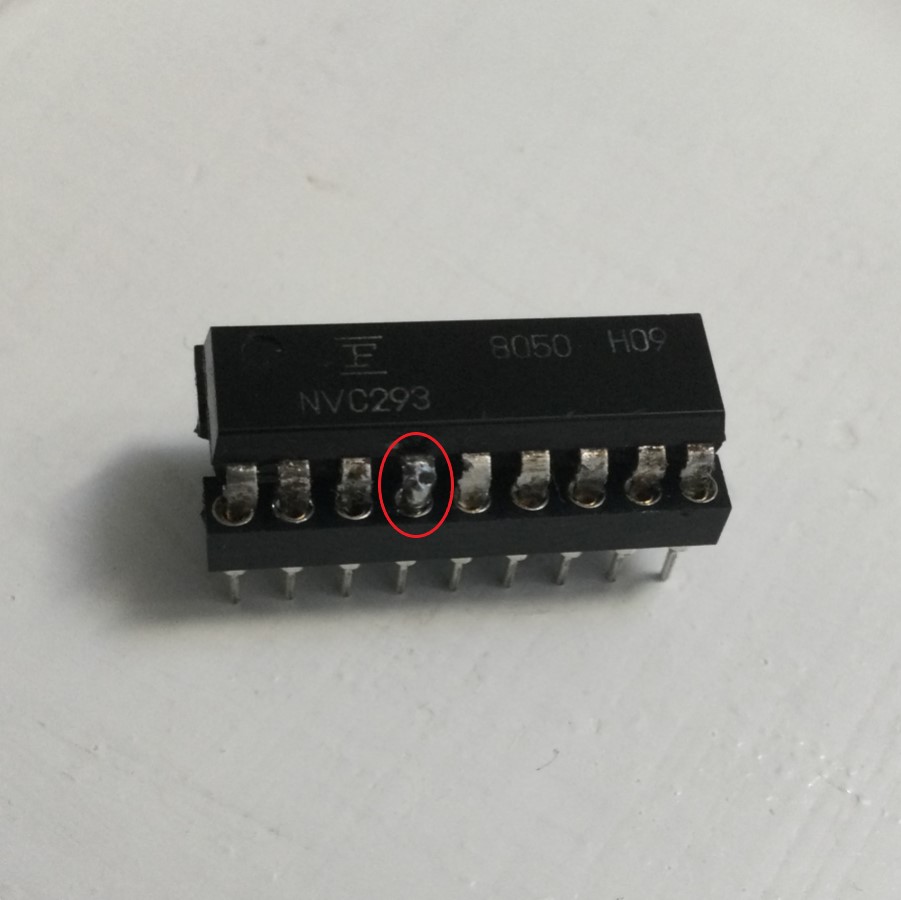
Both of the NVC293 Video Shifter IC’s have now been
placed in a spare 18 round pin socket to protect from any further damage to the
legs. Swopping the two NVC283 customs over between 6P and 9R makes no
difference at all, so my thought here is they are probably good.
Back to physically examining the board sets. I’m looking
closely on the top video board and notice that the 74LS138 at 11L has some
slight physical damage to the top near pin 8 (circled in red). The 4099 8-Bit
Latch at 11M also catches my eye, it looks as if it’s suffered from some sort
of heat damage to the plastic (circled in yellow). Looking underneath the pcb,
I can see that the 4099 is one of the chips that has previously been replaced.
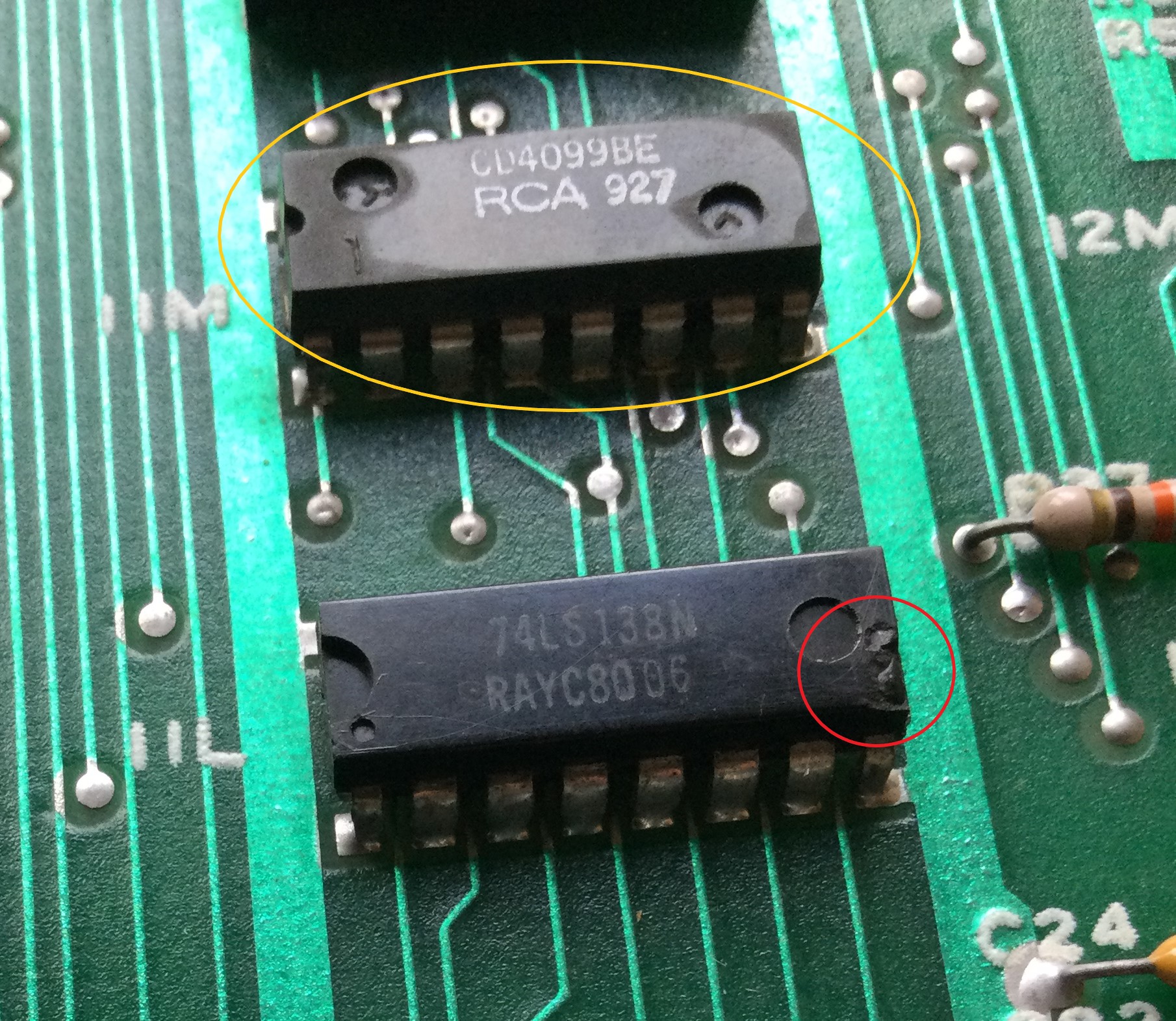
I decide to de-solder both chips, the 138 tests fine on
my tester, however the 4099 fails badly…

I fit sockets for both chips and fit a new 138 and 4099.
Turn the pcb back on and there’s now an explosion sound when I turn on the game,
but still no change with the ram error. However, it’s good to know that the
sound section is probably ok.
Normally I would have verified the game roms buy now, but
since my eprom programmer can’t read these 9332B’s chips and for the fact it
comes up as “Rom OK” I assumed they were fine. Now I need to actually get these
checked out, just to be sure and eliminate them from the troubleshooting. With
help from forum member “sukhbir”, he
very kindly offered to check these proms for me and they all verified ok. In a
way it was nice to know that I successfully managed to salvage all 5 masked
proms.
Out (again) comes the schematics and logic probe. After
probing nearly every place on the board set I come across something that flags
my attention. From the LS138 at 4P, pins
11 and 12 generate the POSIX and POSIY signals, the POSIY is pulsing away but
POSIX is stuck high. I know the 138 is definitely good, as I’ve previous
pulled, tested, socketed and replaced it earlier on. Pins 1,2 and 3 are the
address inputs and they are all pulsing away so there’s certainly activity but
I’m thinking perhaps one or more of the signals are not right and therefore the
decoder is not getting the correct addressing to make it work properly. The
signals are AB4, AB5 and AB6. AB4 and AB5 come from a 74157 at 2H and AB6 from
a 74157 at 2J. I decide to piggy-back a LS157 chip onto the one at 2H, this is
what I get onscreen…
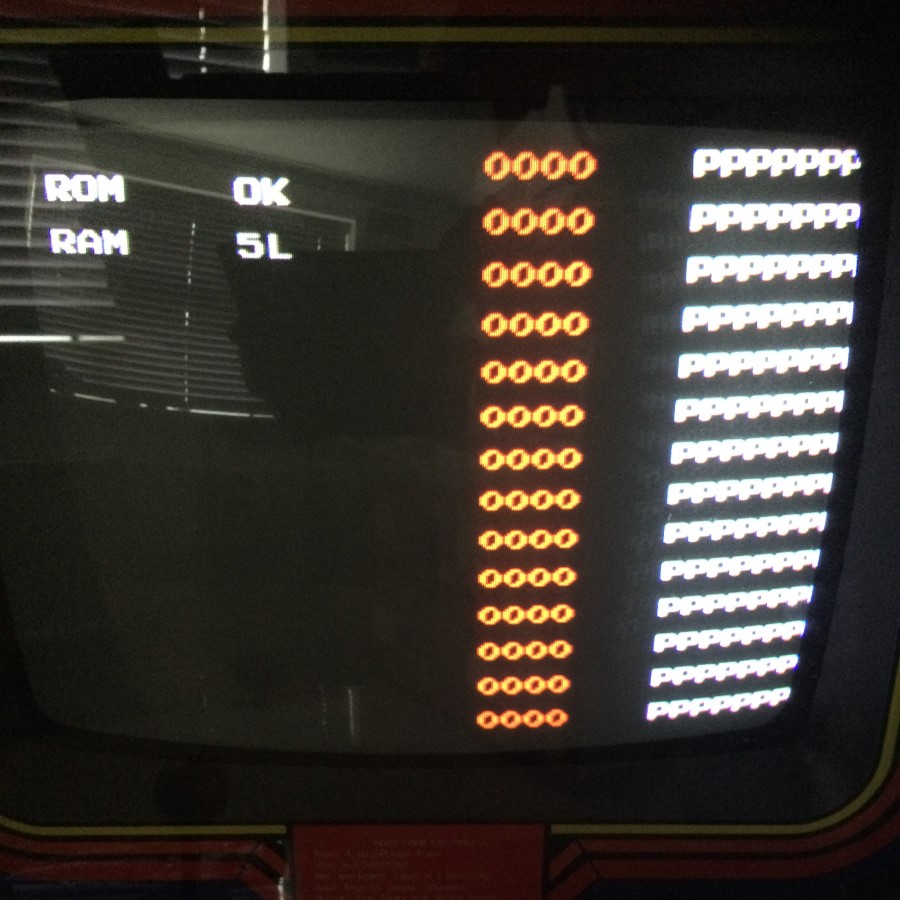
Interesting, there’s now a load of “P”’s onscreen, so I
pull the chip at 2H and test it. The chip tests bad…
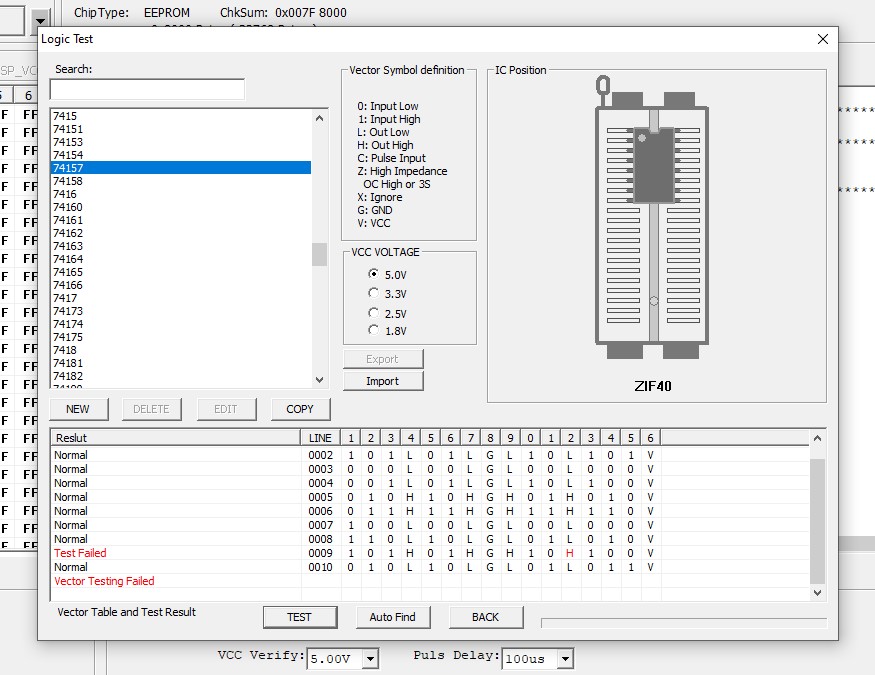
With a new 74LS157 chip fitted, the game still boots to
the Ram 5L error, however the orange “0”’s have gone and there is now a
continuous sound pitch coming out of the speaker. There’s 4 other 74157’s on
this bottom pcb of the same batch number, so I pull them all to test. 3 were
good, but the one at 3K also failed. I replaced that and the sound pitch has
now gone, but the Ram 5L error still persists!
This repair has been ongoing for about 9 months now. I
just can’t seem to find anything on the board with the logic probe that looks like it could
be wrong. Some pins are constantly high or low but I’m certain it’s normal because
it’s waiting for the game to boot up fully before activity starts. I’m firmly
of the opinion that it’s a data buffering/address issue to the rams which is
causing the issue. I decide I’m going to shot-gun the chips in this area. I get
around to de-soldering and checking the 283 at 4K, when I just happen to notice
a solder join to one of the pins to the chip next to it, a LS86 at 4J. “Is that
a very slight crack in the solder join on pin 4?” I say to myself. It’s really
hard to tell, it has not previously been worked on before and the solder work is still
factory. I’ve previously tested this chip several times with the probe and all seemed
ok at the time. The soldering iron is still hot so I
touch up the join anyway. I carry on socketing the 283 and re-insert the old
chip as it tested good. Time to boot up the board set for the umpteenth time…
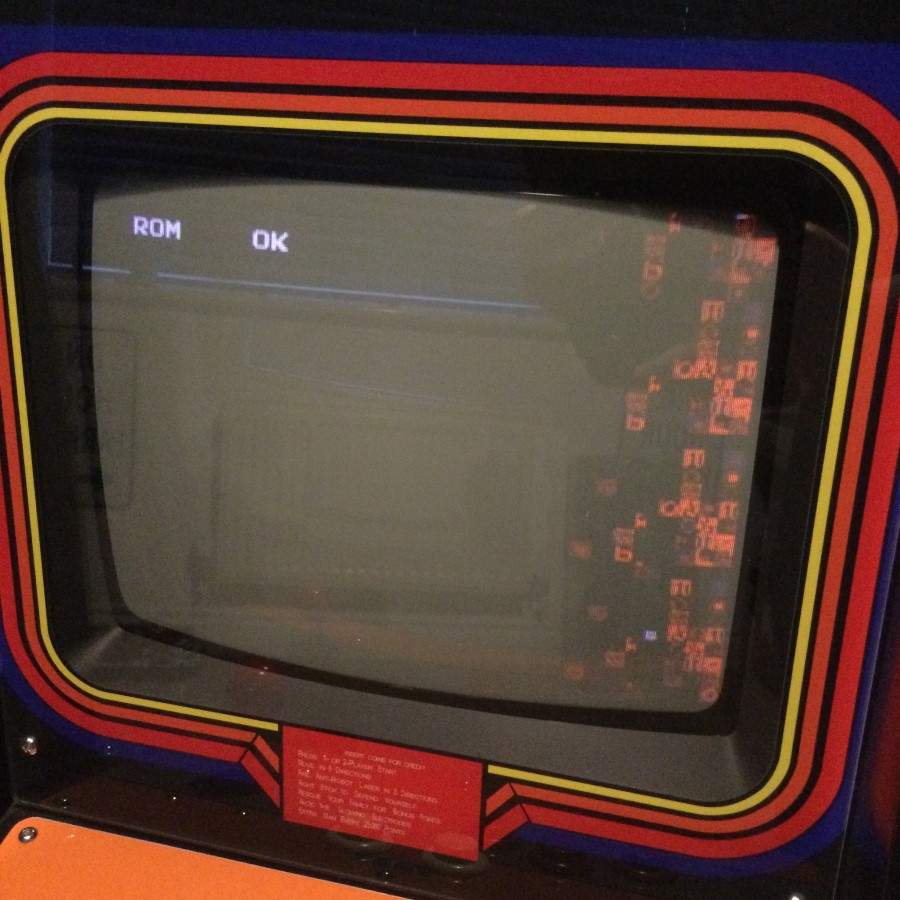
Hang on!...

What the!...
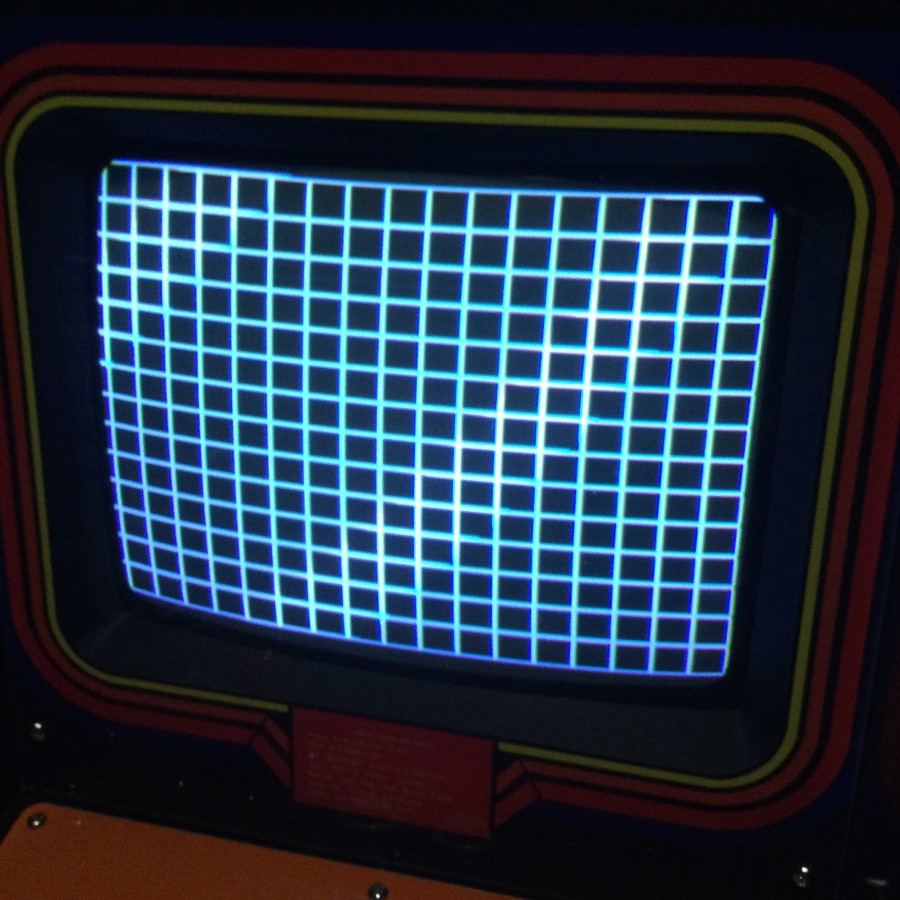
Unbelievable, I’ve only just gone and fixed it!...

…and everything works! Controls, graphics and sounds all work.
I’m finally able to get a bit of Rally X practice in! The only thing I need to do
to finish this repair off is to fit heat sinks to all of the 93415 ceramic rams
on the video board as they are all missing.
Nice to be able to finally get this one fixed!
Parts needed for this repair:-
·
1x 4099 8-Bit Latch
·
1x 2114 Ram
·
2x 74157N Quad 2 Input Multiplexer
·
6x Heat Sinks (for 93415 Ceramic Ram)
Additional Information
related to this repair log
Error in schematics
Yeah, I know many schematic diagrams have errors, but
this bit threw me out a bit when going over the board. I thought I’d add this
addition for future reference/in-case it helps others.
Bottom board, original schematics showing tracks between
4L and 5M are wrong. Here’s my correction for the schematics in red…
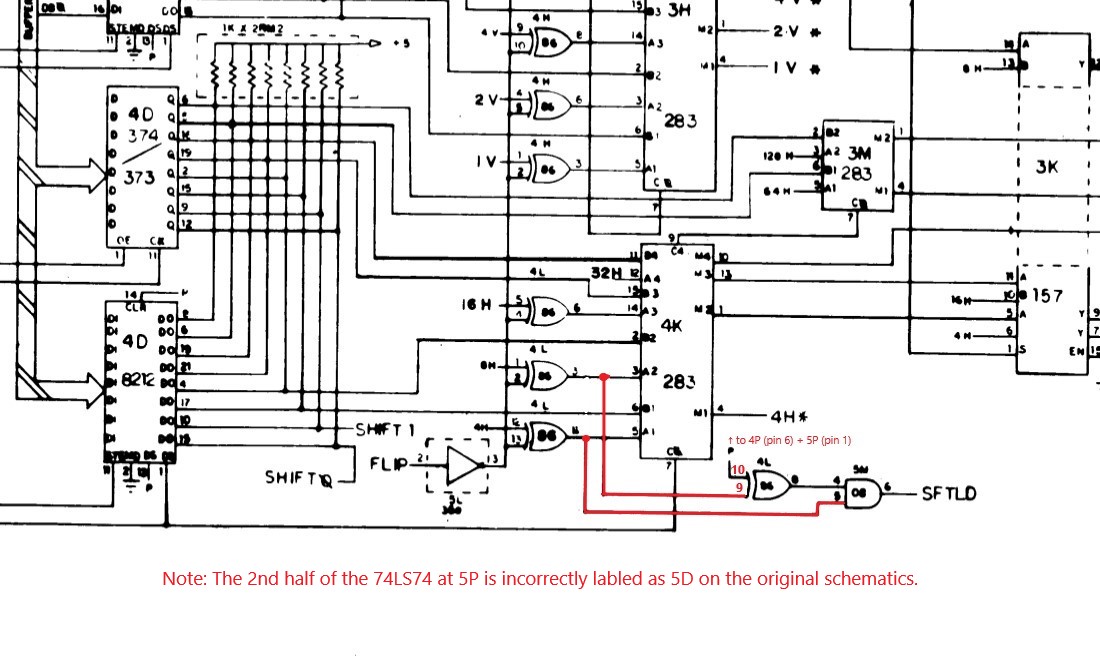
Other info; The 74LS138 at 4P;
“VRSHI” on pins 4+5 is connected to “WRSHI” on pin 24 of the middle inter
connector cable.
Game: Original Midway Rally-X, 2 board set.
Purchase Description: Complete but Untested.
Fault on Receipt: Not working/Dead.
Upon receipt, both boards appear to be in generally good
condition. There appears to be two previous chips that have been replaced on
the top (video) board. One thing I quickly noticed when inspecting the pcbs is that
one of the connector pins on one of the boards that connect via the 3
inter-connect cables was bent over…
…so my first job was to straighten the pin back. Upon
further inspection I noted that the masked roms and Fujitsu custom chips had
some bad black tarnish and rust on them. It’s almost certain that these chips
are going to be suffering from the usual leg rot...
So I plugged in the board, turned it on and nothing
happened, just a blank black screen. Checked the voltages to various parts of
the boards, all fine.
Next thought was to reseat all the socketed chips. The
first chip I lifted was a 2114 ram and the whole socket housing came up with
it! I knew that Midway sockets are notorious for their poor quality and it’s
recommended to replace them so I knew I would have to change most of them.
Also, when lifting the masked proms a lot of the legs broke off the chips…
I’m going to either have to get a replacement set of roms
burnt (probably some 2532’s with a slight modification to 4A on the board) or
try and salvage them. I’ve not got a facility to burn a set of 2532’s so I
opted for the latter and went about trying to repair them.
I purchased some deep 24pin sockets from a seller on eBay
with the thinking that the broken pins will still make contact with the side of
the socket. I gently cleaned all the contacts and pushed them into the sockets.
I used a multi-meter to check continuity between every pin and added a dab of
solder where needed to help make the contact between leg and socket…
Considering the problems I had removing the rams and roms,
I thought it best if I didn’t touch any of the custom chips at this time. So
they stayed untouched and I checked the continuity instead between the legs and
the bottom of the socket solder joins. Continuity checked out fine on all 3
custom chips.
I fitted all new sockets to the 12 rams, 5 proms and the
Z80. The remaining original sockets seemed good and continuity checked out fine
when the original chips where replaced.
Re-plugged the board set back in and turned it on. I’m now
getting a black screen with “ROM OK, RAM 5L” flashing error in white text. The
manual states that 5L is the ram at 6M but I remembered that the manual was
wrong. Midway later issued a technical bulletin and there was an amendment to
the ram positions, and sure enough error 5L is actually the ram at 6N. I
replaced the 2114 ram at 6N from a known working chip borrowed off my spare
Elevator Action stack but it didn’t make any difference. I also tried swopping
the 12 ram chips around but again it made no difference, still getting error 5L.
I came to the conclusion that the ram is probably fine and there is something
else wrong here. I also swopped the Z80 with a known good processor and again
this made no difference. Checked for the clock signal on pin6 and also the
reset pin26 (high) on the Z80, both were fine.
Dropped a message on the forum for some ideas on what to
look at next. Suggestions was to check the inter-connect cables and the 2x 245
buffers at 5D & 5E. I checked continuity on every pin on the inter-connect
cables and they were fine. Using a logic probe, I probed at the pins on the two
buffers whilst looking at the schematics. I couldn’t get a beeping clock signal
on pin19 on 5D and I couldn’t conclusively say if there was a problem with it,
so I de-soldered both the 245’s from the board anyway, along with the 139 at 5A
which is connected to 5D. Checked all 3 TTL chips and all read good in my
tester. Refitted new 245’s and replaced the original 139.
Next line of thought is maybe the NVC285 Custom at 2D is
faulty. So I carefully lift the chip and by luck none of the legs break! I
gently clean the legs and refit the chip in a spare 28 pin socket. I then fit a
new socket to the pcb and try a Sync Buss Board from a PacMan pcb (which is the
same as the NVC285 custom), but it still makes no difference.
I’ve recently purchased a 2114 ram tester, so I decided
to check all 12 rams with it. One reported bad (not the one at 6N) so I replaced
it with a known good chip. Game still boots up to “ROM OK, RAM 5L” but there is
now a load of orange “0”’s filling the right side of the screen…
Now that I’ve confirmed that the ram is good, I need to
look elsewhere. My next step is to check the custom Video Shifters (the 2x
NVC293 IC’s). I’ve not got any spare of these customs to try, so I’m thinking
that if I swop 6P and 9R over (they are both the same custom chip) then it
might give me an idea if one of them is faulty. I carefully remove 6P and it comes
out intact, but sadly a couple of the legs on 9R break whilst lifting it out
from the socket. One of the legs is snapped right at the top of the chip so
it’s going to need some careful surgery and a donor leg to salvage it…
Both of the NVC293 Video Shifter IC’s have now been
placed in a spare 18 round pin socket to protect from any further damage to the
legs. Swopping the two NVC283 customs over between 6P and 9R makes no
difference at all, so my thought here is they are probably good.
Back to physically examining the board sets. I’m looking
closely on the top video board and notice that the 74LS138 at 11L has some
slight physical damage to the top near pin 8 (circled in red). The 4099 8-Bit
Latch at 11M also catches my eye, it looks as if it’s suffered from some sort
of heat damage to the plastic (circled in yellow). Looking underneath the pcb,
I can see that the 4099 is one of the chips that has previously been replaced.
I decide to de-solder both chips, the 138 tests fine on
my tester, however the 4099 fails badly…
I fit sockets for both chips and fit a new 138 and 4099.
Turn the pcb back on and there’s now an explosion sound when I turn on the game,
but still no change with the ram error. However, it’s good to know that the
sound section is probably ok.
Normally I would have verified the game roms buy now, but
since my eprom programmer can’t read these 9332B’s chips and for the fact it
comes up as “Rom OK” I assumed they were fine. Now I need to actually get these
checked out, just to be sure and eliminate them from the troubleshooting. With
help from forum member “sukhbir”, he
very kindly offered to check these proms for me and they all verified ok. In a
way it was nice to know that I successfully managed to salvage all 5 masked
proms.
Out (again) comes the schematics and logic probe. After
probing nearly every place on the board set I come across something that flags
my attention. From the LS138 at 4P, pins
11 and 12 generate the POSIX and POSIY signals, the POSIY is pulsing away but
POSIX is stuck high. I know the 138 is definitely good, as I’ve previous
pulled, tested, socketed and replaced it earlier on. Pins 1,2 and 3 are the
address inputs and they are all pulsing away so there’s certainly activity but
I’m thinking perhaps one or more of the signals are not right and therefore the
decoder is not getting the correct addressing to make it work properly. The
signals are AB4, AB5 and AB6. AB4 and AB5 come from a 74157 at 2H and AB6 from
a 74157 at 2J. I decide to piggy-back a LS157 chip onto the one at 2H, this is
what I get onscreen…
Interesting, there’s now a load of “P”’s onscreen, so I
pull the chip at 2H and test it. The chip tests bad…
With a new 74LS157 chip fitted, the game still boots to
the Ram 5L error, however the orange “0”’s have gone and there is now a
continuous sound pitch coming out of the speaker. There’s 4 other 74157’s on
this bottom pcb of the same batch number, so I pull them all to test. 3 were
good, but the one at 3K also failed. I replaced that and the sound pitch has
now gone, but the Ram 5L error still persists!
This repair has been ongoing for about 9 months now. I
just can’t seem to find anything on the board with the logic probe that looks like it could
be wrong. Some pins are constantly high or low but I’m certain it’s normal because
it’s waiting for the game to boot up fully before activity starts. I’m firmly
of the opinion that it’s a data buffering/address issue to the rams which is
causing the issue. I decide I’m going to shot-gun the chips in this area. I get
around to de-soldering and checking the 283 at 4K, when I just happen to notice
a solder join to one of the pins to the chip next to it, a LS86 at 4J. “Is that
a very slight crack in the solder join on pin 4?” I say to myself. It’s really
hard to tell, it has not previously been worked on before and the solder work is still
factory. I’ve previously tested this chip several times with the probe and all seemed
ok at the time. The soldering iron is still hot so I
touch up the join anyway. I carry on socketing the 283 and re-insert the old
chip as it tested good. Time to boot up the board set for the umpteenth time…
Hang on!...
What the!...
Unbelievable, I’ve only just gone and fixed it!...
…and everything works! Controls, graphics and sounds all work.
I’m finally able to get a bit of Rally X practice in! The only thing I need to do
to finish this repair off is to fit heat sinks to all of the 93415 ceramic rams
on the video board as they are all missing.
Nice to be able to finally get this one fixed!
Parts needed for this repair:-
·
1x 4099 8-Bit Latch
·
1x 2114 Ram
·
2x 74157N Quad 2 Input Multiplexer
·
6x Heat Sinks (for 93415 Ceramic Ram)
Additional Information
related to this repair log
Error in schematics
Yeah, I know many schematic diagrams have errors, but
this bit threw me out a bit when going over the board. I thought I’d add this
addition for future reference/in-case it helps others.
Bottom board, original schematics showing tracks between
4L and 5M are wrong. Here’s my correction for the schematics in red…
Other info; The 74LS138 at 4P;
“VRSHI” on pins 4+5 is connected to “WRSHI” on pin 24 of the middle inter
connector cable.