
You are using an out of date browser. It may not display this or other websites correctly.
You should upgrade or use an alternative browser.
You should upgrade or use an alternative browser.
Dino King monitor help..
- Thread starter itruk
- Start date


I have the same problem I chopped off the vga connector and connected the wires directly to the Jamma connector twisting both h/v sync wires togetherthat helped massively but I still have issues with the picture being too wide, and the vertical hold is a little off some times
I tried to chop one of the syncs but just made it worse.
I'm using it with a neogeo board at the moment, been advised to try a 5k resistor on the sync as Neo is odd, but not had chance yet
I tried to chop one of the syncs but just made it worse.
I'm using it with a neogeo board at the moment, been advised to try a 5k resistor on the sync as Neo is odd, but not had chance yet
I'm doing away with the Jamma since it's a MAME conversion I'm going for.
It's ended up plugging the VGA from the monitor, straight into the PC.
Would your fix still apply to me?
I was hoping I could just clean around the anode cap lol.
Really annoyed that this has happened.
It's ended up plugging the VGA from the monitor, straight into the PC.
Would your fix still apply to me?
I was hoping I could just clean around the anode cap lol.
Really annoyed that this has happened.
Had another attack..
Cleaned and reseated the anode cap. Gave it a dust around etc..

So it's better :/ but the vertical scroll won't stop. I can slow it down, but thats it. Also, the picture is too far over one side and it won't adjust anymore.
Cleaned and reseated the anode cap. Gave it a dust around etc..
So it's better :/ but the vertical scroll won't stop. I can slow it down, but thats it. Also, the picture is too far over one side and it won't adjust anymore.

Just tried mine for you with a pc and Jpac
at first it wouldnt sync either, I removed the Yellow cable from the plug that goes to the monitor at the top of the cab and presto, sorted it right out. think thats the vertical sync wire, also solved the problem with my Neo Geo and Pandora not syncing right either
you can either cut the yellow wire or release the pin from the housing so you can return it back to factory state should you wish
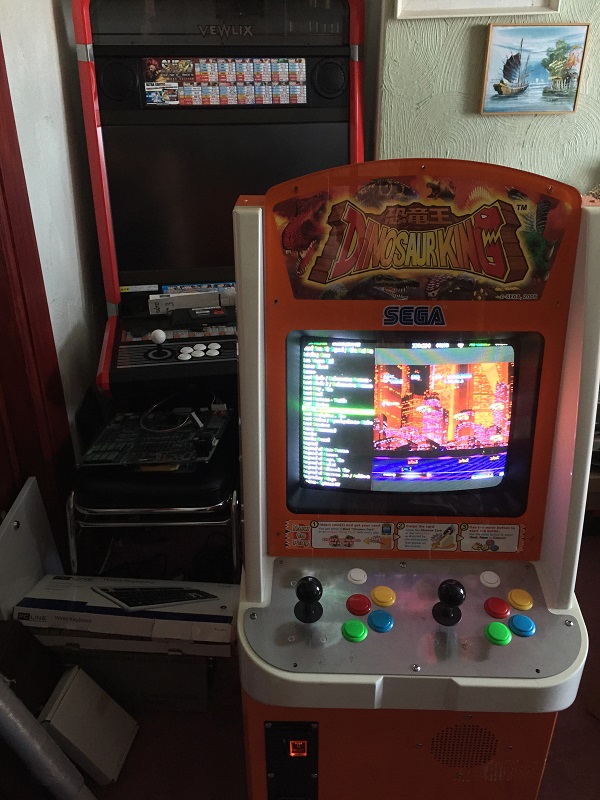
at first it wouldnt sync either, I removed the Yellow cable from the plug that goes to the monitor at the top of the cab and presto, sorted it right out. think thats the vertical sync wire, also solved the problem with my Neo Geo and Pandora not syncing right either
you can either cut the yellow wire or release the pin from the housing so you can return it back to factory state should you wish

Brettster said:Just tried mine for you with a pc and Jpac
at first it wouldnt sync either, I removed the Yellow cable from the plug that goes to the monitor at the top of the cab and presto, sorted it right out. think thats the vertical sync wire, also solved the problem with my Neo Geo and Pandora not syncing right either
you can either cut the yellow wire or release the pin from the housing so you can return it back to factory state should you wish
Does the same apply if you're not using a JPAC? I have a setup with 15k signal coming straight out of a graphics card connected to the monitor cable that came with the cab. Plug it straight in and there's no sync at all. I know I need to do something to get a stable picture, just not sure what...

Cut the v sync cable. With both syncs connected some stuff will give a decent picture and VERY fine control of the vertical hold but the majority of stuff won't lock properly. When you first remove the vertical sync wire it will roll like crazy but you'll then be able to adjust it to a much more stable picture.
I never use the VGA connector on these as it has always caused me problems either with a picture that is too bright or has interference/ghosting. My method is always to cut the connector off, then solder and heat shirk the rgb-gnd-sync wires directly on the jamma harness. The picture on these monitors should be lovely and solid.
The horizontal width can be controlled a bit, it appears to not do a lot when you move it, but the pot is directly in the width coil so it requires a lot more turns than the other pots to get anything to happen.
I never use the VGA connector on these as it has always caused me problems either with a picture that is too bright or has interference/ghosting. My method is always to cut the connector off, then solder and heat shirk the rgb-gnd-sync wires directly on the jamma harness. The picture on these monitors should be lovely and solid.
The horizontal width can be controlled a bit, it appears to not do a lot when you move it, but the pot is directly in the width coil so it requires a lot more turns than the other pots to get anything to happen.
muddymusic said:Cut the v sync cable. With both syncs connected some stuff will give a decent picture and VERY fine control of the vertical hold but the majority of stuff won't lock properly. When you first remove the vertical sync wire it will roll like crazy but you'll then be able to adjust it to a much more stable picture.
I never use the VGA connector on these as it has always caused me problems either with a picture that is too bright or has interference/ghosting. My method is always to cut the connector off, then solder and heat shirk the rgb-gnd-sync wires directly on the jamma harness. The picture on these monitors should be lovely and solid.
The horizontal width can be controlled a bit, it appears to not do a lot when you move it, but the pot is directly in the width coil so it requires a lot more turns than the other pots to get anything to happen.
Thanks Olly
I tried cutting the wrong one initially, the brown one, must have been the V sync.
i still have issues with the width though and its turned as far as it can go, not taken the chassis out yet to see if there is a width jumper setting
This is a massive help, thanks I'll give it a go.Brettster said:yup should work the same, tried it with my arcade vga card direct
perfect
and as mentioned via Jamma with a Pandora and Neogeo MV1C
I'm glad you lot are having luck with their monitors lol Mine is laughing at me.
Removed the yellow wire from the connector block and it's still the same - slow vertical scroll and I cannot adjust the horizontal any more to get the picture to the right.
I've also tried my JPAC in again, and that laughed at me as well!

Still nothing.
So back to the VGA route, here are the connections:


Soft15 was still running, so I uninstalled it, restarted, and the reinstalled but with the same result.
Removed the yellow wire from the connector block and it's still the same - slow vertical scroll and I cannot adjust the horizontal any more to get the picture to the right.
I've also tried my JPAC in again, and that laughed at me as well!
Still nothing.
So back to the VGA route, here are the connections:
Soft15 was still running, so I uninstalled it, restarted, and the reinstalled but with the same result.