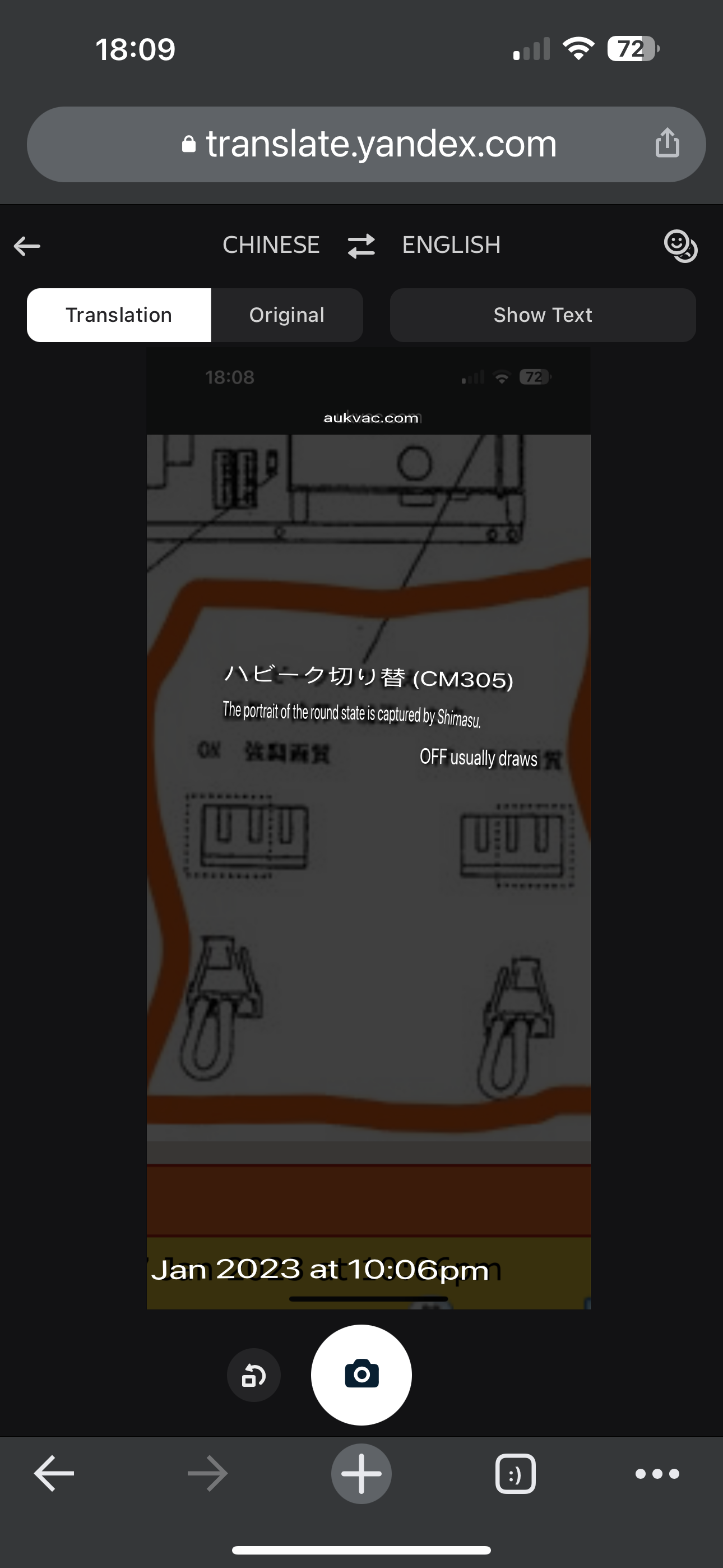
Translation of the orange‑boxed text
ハイピーク切り替え(CM305)
→ High‑Peak Switching (CM305)
ON:強調画質
→ ON: Enhanced Image Quality
OFF:通常画質
→ OFF: Normal Image Quality
What “Enhanced Image Quality” actually does
This switch (ハイピーク切り替え / High‑Peak Switching) changes how the display’s video amplifier handles high‑brightness peaks and edge transitions.
🔧 When set to ON — 強調画質 (Enhanced Image Quality)
Higher peak brightness — whites and highlights are pushed harder
Stronger edge contrast — outlines and fine details appear more defined
Perceived sharpness increases — the image looks crisper
More aggressive signal processing — the circuit emphasizes high‑frequency components
This mode is typically used when the source image looks soft, low‑contrast, or washed out.
🔧 When set to OFF — 通常画質 (Normal Image Quality)
More accurate, natural contrast
Lower risk of clipping in bright areas
Less haloing or ringing around edges
Better for colour‑critical or calibration work
Why this exists
Older or professional CRT‑based monitors often included a “high‑peak” or “aperture boost” circuit to compensate for weak video sources or long cable runs. Turning it on gives the picture more punch, but at the cost of accuracy.
Should you use it?
If you want a punchier, sharper‑looking image, use Enhanced mode.
If you want accurate colour and clean calibration, stick with Normal mode.