Windows Tuning Tips?

guddler

Busting vectors like it's 1982!
vacBacker
Feedback
10 (100%)
Credits
4,054CR
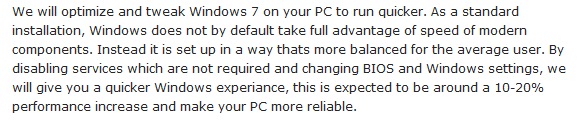
My brother-in-law needs a new PC (among most of the people in my family!) so I was looking at a few with him online last night. One of the places selling them had an optional extra for something like £25 which was to optimize it for faster / better use (we were looking at gaming PCs).

Here's the note:
Capture.PNG


Now I'm not really a Windows person, but I am spending 90% of my time gaming in Windows these days so anyone know what these guys may be going on about? Any tips or is this just sales guff and a way to squeeze more money out of you for nothing? Or is it trade secrets
smiley36.gif


I'm curious now.
 

strykr

Active member
vacBacker
Feedback
11 (100%)
Credits
1,337CR
I would imagine it's sales guff, disabling things on startup, turning graphics (OS) down to a minimum, and possibly overclocking it. I would imagine that a bit of googling would uncover all the windows 7 tweaks.
It's one of those things where the only way of knowing if that £25 was well spent would be to A/B two identical PC's and i doubt anyone would do that.I'd say a 10-20 percent increase is quite a bold claim!
 

trm

Who loves you, and who do you love?
Feedback
2 (100%)
Credits
2,876CR
They will be doing stuff like setting the Power Plan (Control Panel) to be 100% max CPU availability at all times - it'll be the maximum performance power plan. Plus turning off any kind of CPU powersave/throttling/SpeedStep in the BIOS. Service-wise Win7 is pretty good about having services demand start so you have little overhead of stuff running that isn't needed. Possibly things like tweaking the network config (TCP sliding windows, buffer sizes, etc) but Win7 auto tunes very well out the box here too.

It's basically crap in other words. But if you want to do some performance monitoring then I can suggest some areas to look at.
 

guddler

Busting vectors like it's 1982!
vacBacker
Feedback
10 (100%)
Credits
4,054CR
Nah, that's cool. If it's crap, it's crap (give or take).

One of the issues I've always had with Windows is the gradual clutter and slowdown / grind as time goes by when you end up installing more and more stuff.

A good example is my Wacom Tablet. I used it this afternoon in Windows for the first time. Didn't work properly with the built in Windows drivers so I installed the Wacom ones. Now I suddenly have two new programs loading up at start up with no way for them not to! Gits.

Is it possible to have two err, 'profiles' or something for Windows? One with all the guff for when I'm developing websites and software and stuff and another for just gaming? Or am I forced to bung another hard drive in and another copy of Windows, and then reboot to get to the clean copy?

Installing a new Windows partition and migrating over might be a bit of a challenge mind.
 

ben76

Hunts Spies
Feedback
7 (100%)
Credits
1,136CR
trm said:
They will be doing stuff like setting the Power Plan (Control Panel) to be 100% max CPU availability at all times - it'll be the maximum performance power plan. Plus turning off any kind of CPU powersave/throttling/SpeedStep in the BIOS. Service-wise Win7 is pretty good about having services demand start so you have little overhead of stuff running that isn't needed. Possibly things like tweaking the network config (TCP sliding windows, buffer sizes, etc) but Win7 auto tunes very well out the box here too.

It's basically crap in other words. But if you want to do some performance monitoring then I can suggest some areas to look at.
+1
All stuff you can do yourself if you really can be bothered for 5-10% improvement
- Ben
 

AeroCityMayor

Entity formerly known as alien_mame
Credits
100CR
guddler said:
Is it possible to have two err, 'profiles' or something for Windows? One with all the guff for when I'm developing websites and software and stuff and another for just gaming? Or am I forced to bung another hard drive in and another copy of Windows, and then reboot to get to the clean copy?

Installing a new Windows partition and migrating over might be a bit of a challenge mind.

Hi Martin,

I did something similar on my MAME cab simply by setting up two different users and installing any new software "for this user only" as opposed to "anyone who uses this computer"

Not always possible but a simple solution and worth a look.

Cheers,

Ralph.
 
Top