Help me fix my Star Wars

muddymusic

The Repro Guy. Art and Parts supplier
Staff member
vacBacker
Feedback
52 (100%)
Credits
2,210CR
It's finally time for me to have a look at the Star Wars upright I've had sat untouched for a while now. I needed to get my game room up together before I started looking at it really, but now I'm ready to put some hours in to it.

I have to admit I don't know vector cabs at all really. All the cabs I've ever had were raster games, aside from a SW cockpit I just wasn't ready to handle at the time which is why I sold it.

I've done some reading up on the excellent vector guides, and watched some vids as well as had chats with a few vector experts so I could try to understand the basics.

So here's the cab. The previous owner had been playing it for years, and said the display got gradually darker and darker until there was nothing at all visible on screen, but the game still played.
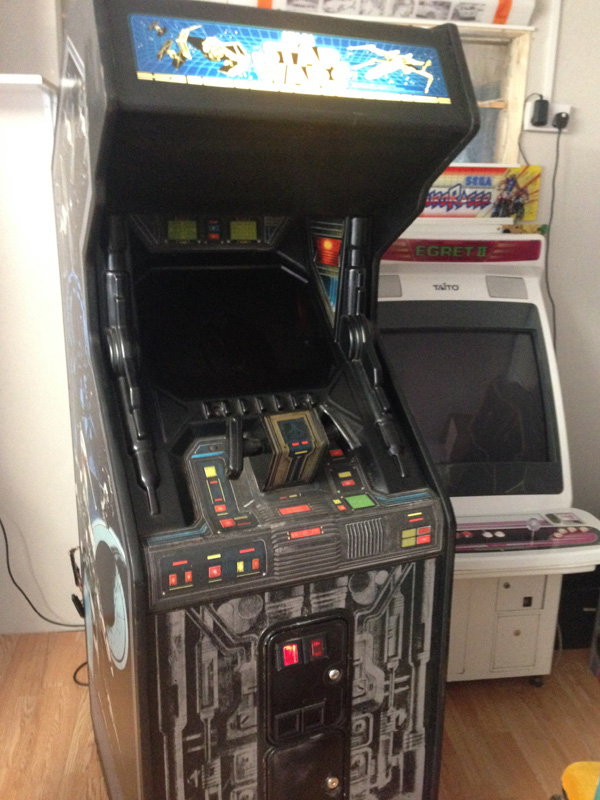
starwarsrepair01.jpg


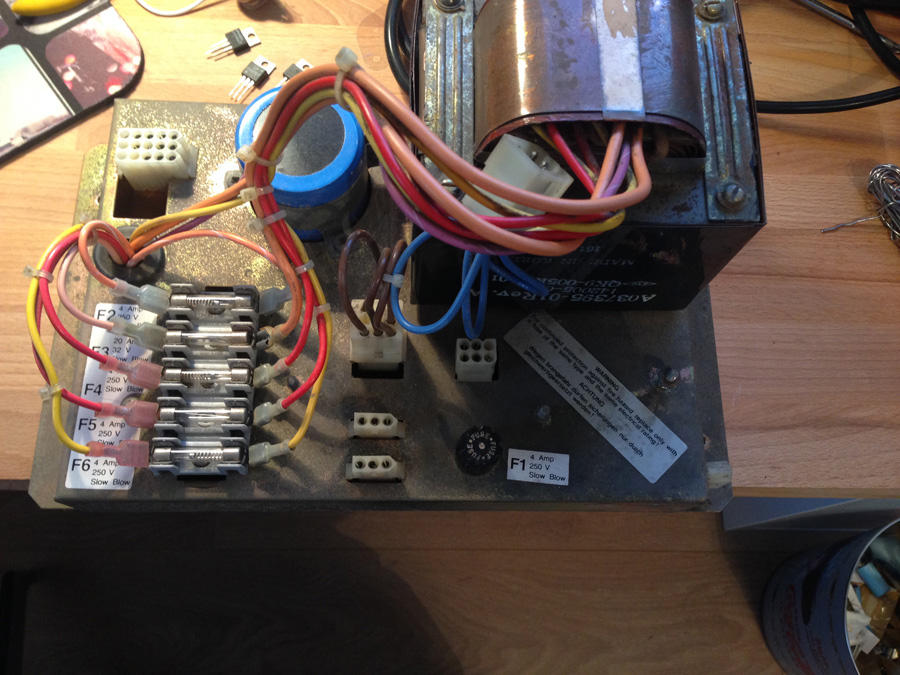
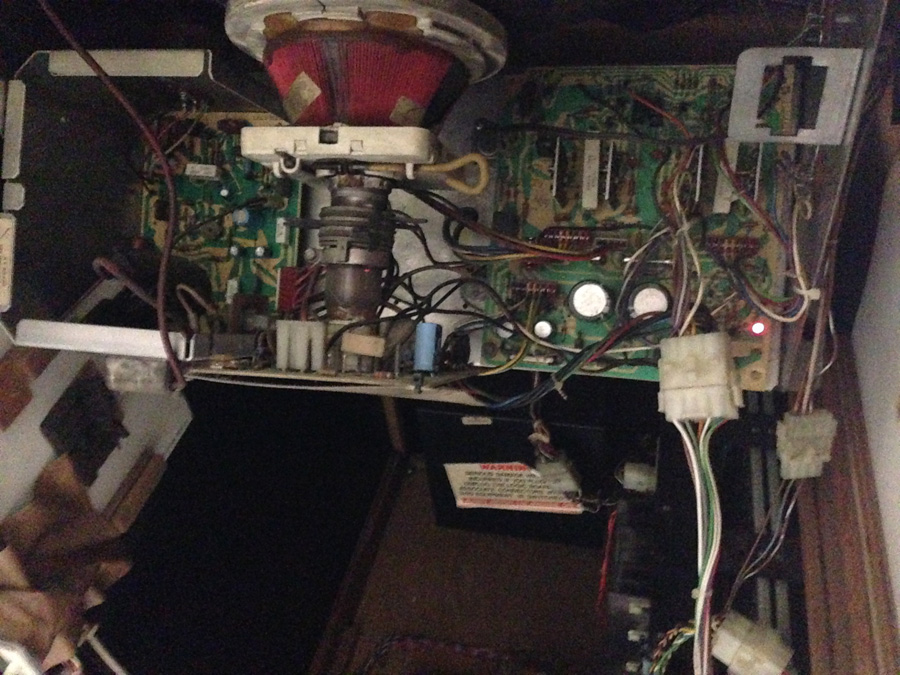
So I opened her up and had a look inside. I've tried to do things in the right order, so first up I wanted to check all the voltages.
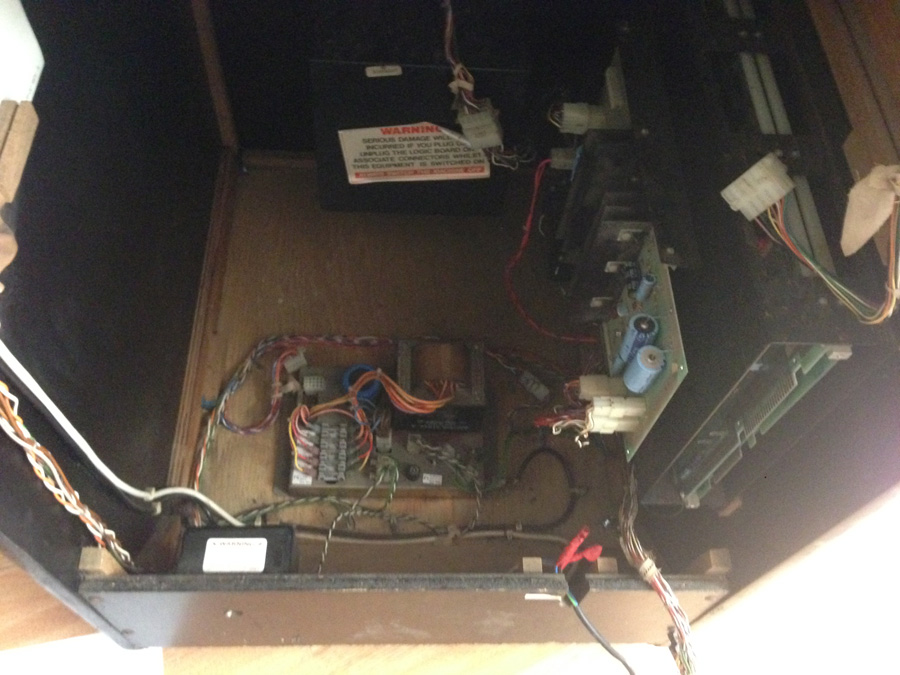
starwarsrepair02.jpg


Pulled the power connectors and checked for continuity across all the fuses - all ok.
starwarsrepair03.jpg


Metered brick voltages with the following results:

DC
1-4 Odd rising value, not sure this is normal. Video below
2-4 As above
3-4 As above

AC
6-7 37.1v
8-9 6.3v
10-13 51.4v
11.13 25.6v

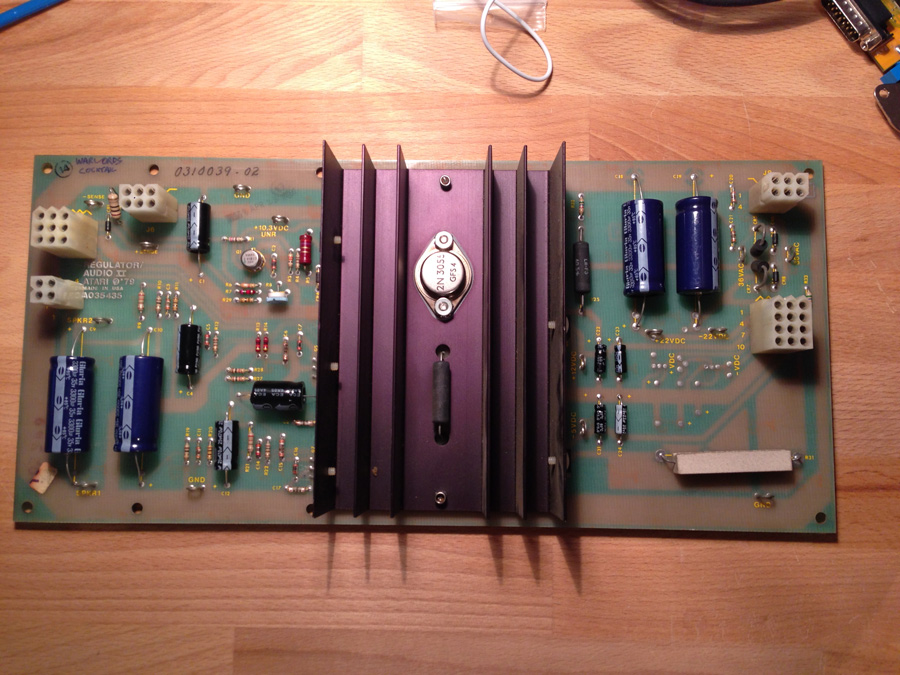
Metered AR2 sense line - 5.3v. Little high I think.

The DC voltages were odd. Starts off at 4.3v then climbs over about 5 minutes to 11v and upwards. Perhaps this is because there's no draw on it? I don't know.

[tube]E2Pk1tyH8aI[/tube]

[tube]b4FWt52_pas[/tube]
 

muddymusic

The Repro Guy. Art and Parts supplier
Staff member
vacBacker
Feedback
52 (100%)
Credits
2,210CR
I reconnected the monitor to see what was happening with that.

There is neck glow, and when the screen pot is turned up a bright spot is visible.
starwarsrepair04.jpg


I believe that's the spot killer LED lit.

With the pcb connected the game will boot, and play blind. There is nothing on screen and no vector-chatter I can hear.

I've been saving a bit of kit up for this, so have a AR2 rebuild kit, LV2000 chip, Clay Vector pincushion fix kit, and a guddler jump lead to install.
starwarsrepair06.jpg


So ready now for all the advice you guys have on what to do next.
muddymusic2015-04-08 17:19:59
 

muddymusic

The Repro Guy. Art and Parts supplier
Staff member
vacBacker
Feedback
52 (100%)
Credits
2,210CR
Yeah, Up as far as the chassis checks. Thanks for that guide it's made life easy.

I'm wondering if I should be concerned about the DC voltages on the brick before I go any further.
 

Equites

Chief Sheesher®
vacBacker
Feedback
35 (100%)
Credits
3,318CR
Was the AR2 Sense voltage reading under load or no load? Linear PSU's need a load to operate correctly. I have test harnesses here that I built with inline resistors.

It does look to me like the monitor could be ok, I'm betting you have something like a DAC failure on the PCB stack.

Do you have a scope or access to one?

EDIT: That AR2 build kit looks familiar, tee hee!Equites2015-04-08 16:43:27
 

muddymusic

The Repro Guy. Art and Parts supplier
Staff member
vacBacker
Feedback
52 (100%)
Credits
2,210CR
The AR2 was under load for the reading. I'll rebuild that tomorrow and install the LV2000, then check the transistors.

I don't have a scope.

Thanks.
muddymusic2015-04-08 16:48:32
 

muddymusic

The Repro Guy. Art and Parts supplier
Staff member
vacBacker
Feedback
52 (100%)
Credits
2,210CR
Equites said:
It does look to me like the monitor could be ok, I'm betting you have something like a DAC failure on the PCB stack.
I seem to remember that happened to Shaun's SW at the barn actually. It was assumed the monitor had gone, but was actually the pcb at fault.
 

Equites

Chief Sheesher®
vacBacker
Feedback
35 (100%)
Credits
3,318CR
See if you can loan a Scope from someone, so you can see if the PCB stack is good or not. You need to eliminate the problem.

It's either the PCB stack or monitor, possibly both.
 

tb lilley

5 Star
vacBacker
Feedback
2 (100%)
Credits
1,686CR
DC voltages at the brick not right. Should pump out min 10.6VDC unregulated - so would expect to see as high as 14VDC. So something not right there. Very odd that the voltages increase over time.

Try cleaning fuses and fuse holders (F2 and F3). Ditto the connectors to the bridge rectifier on the brick itself. Ditto big blue. See if you can get a steady DC off the brick from the get go.
 

Mitchell Gant

Active member
vacBacker
Feedback
2 (100%)
Credits
884CR
tb lilley said:
DC voltages at the brick not right. Should pump out min 10.6VDC unregulated - so would expect to see as high as 14VDC. So something not right there. Very odd that the voltages increase over time.

Try cleaning fuses and fuse holders (F2 and F3). Ditto the connectors to the bridge rectifier on the brick itself. Ditto big blue. See if you can get a steady DC off the brick from the get go.

Increasing voltage is unusual. Not sure I believe it.

Try another multimeter if you have access to one, or failing that try a new battery in the meter you have to eliminate a false reading.
 

muddymusic

The Repro Guy. Art and Parts supplier
Staff member
vacBacker
Feedback
52 (100%)
Credits
2,210CR
Some more useful comments there thanks guys.

I did think as I was reading the DC voltages 'am I doing this right?
smiley5.gif
' and will try my other meter on it just to be sure.
I left the probes in & killed the power and it stopped rising, then very slowly dropping.
 

DaveAS

User
Credits
335CR
The bridge rectifier may be knackered causing AC to appear on the 10.6V line. You could pull the connections off and do a diode test on it, or rather 4 diode tests. Look at the schematics to work out which which tabs to use to test each diode in turn.

Those bridge rectifier blocks are easy to get hold of from Farnell and the like if that's what's broken.
 

muddymusic

The Repro Guy. Art and Parts supplier
Staff member
vacBacker
Feedback
52 (100%)
Credits
2,210CR
Not a great start today. Took another reading on the DC voltages at the brick and same result as yesterday. I'm going to pull it out in a bit and check it over.

Went to read voltages off AR2 at J7 & J10 and getting nothing. Looks like it's died.

Nad is very kindly going to check if my pcb is working or not so we can see if that's one of the problems or not.
 

muddymusic

The Repro Guy. Art and Parts supplier
Staff member
vacBacker
Feedback
52 (100%)
Credits
2,210CR
Brick had a good clean, all contacts cleaned up and stuff reseated.
starwarsrepair07.jpg


Seems to have done the trick!
starwarsrepair10.jpg


Nice steady 14.4v on pins 1-3 so that's one problem down.

Pulled AR2 to rebuild it.
starwarsrepair08.jpg


All done.
starwarsrepair09.jpg


Put it back in the cab and took some readings.

+5v 5.00v
+10.3v Unreg 13.5v
+12v 12.3v
-5v -6.3v
-22v -24.6v
+22v -24.8v
 

edwoodjnr

Active member
vacBacker
Feedback
2 (100%)
Credits
243CR
You might want to flip the test switch and listen for the audio error codes. Here is a guide to the sounds

http://www.gamefaqs.com/arcade/583802-star-wars/faqs/9512
 
Top