Help with 486

Retroman839

Senior Member
vacBacker
Feedback
12 (100%)
Credits
7,188CR
Typo on line 2 in config.sys:
DEVICE=C:\SB16\DRV\\CTSB16.SYS /UNIT=0/BLASTER=A:220 I:5 D:1 H:3

Should be:
DEVICE=C:\SB16\DRV\CTSB16.SYS /UNIT=0/BLASTER=A:220 I:5 D:1 H:3
I can't remember if it all has to be on one line or if it is allowed to be on multiple lines.
Thanx. You are correct this continuation of a line was causing an error.

I have corrected and tried a few config changes mainly just altering the sb set up
A:220 I:5 d:1 H:1 p330 T6

But no joy yet !

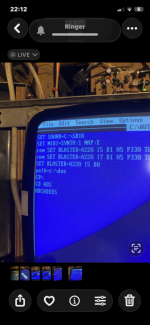
Including this video of my post script .
Hopefully this can help

I still cannot seem to get to a diagnose utility ..
Sb16 legacy dos set up help , no sound
 

Retroman839

Senior Member
vacBacker
Feedback
12 (100%)
Credits
7,188CR
Thanks, I recall mixerset.
Will check tomorow.

I also looked at bare irQ ( minimum irQ’s needed enabled as I don’t have cd rom drive
I don’t have mouse ..

I know sb is irQ 5

And my bios currently has irq5
Plus 10,11,12,15 as well as 2and 9 enabled .. ( can’t need all them!)
I hope I’m juat having a irQ clash
I don’t recall my bios irQ before I plugged my
Keyboard into the second ps/2 port. And this is my issue ..
Here is my irQ settings
IMG_5542.png

When Hexen helped me hé used a diffrent irQ to the recommended .

it’s A220 I:5 H:3 p330 T2
Will confirm this tomo as I have backed up image .

I’m just thinking that me plugging the keyboard into a diffrent ps/2 port has auto changed the IrQ’s ? And I need to reset them to how they were?

Also I think I need to disable parallel ports completely .

Will have ago tomo at this.
 

Retroman839

Senior Member
vacBacker
Feedback
12 (100%)
Credits
7,188CR
What I have done is used macrium to create a backup of the ide drive that was with the 486 when I received it.

Then I have restored that to a ssd .. No probs until recently when I swapped keyboard cable ps/2 around into the second avalible ps/2 socket.

I have just taken original ide and
Plugged it up and all is ok sound is back .. or never left this drive anyways ..
30 January 2026


Now I will take another copy of this drive and try that on the ssd .
And then up date how that goes


But look like when I changed keyboard socket its changed
Stuff in a config file ?


One strange thing is my 486 thinks it’s Christmas all the time now ?
Snowing on my arcadeos front end .. 😅 I can live with that.
 

mlynn

User
Credits
121CR
That's good news! Is there an SSD drive with an IDE interface?

A friend of mine had a PATA laptop and managed to get an SSD for that but the performance was very choppy. Not consistent read speeds.
 

Retroman839

Senior Member
vacBacker
Feedback
12 (100%)
Credits
7,188CR
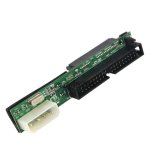
Yeh I’m using ide to Sata
IMG_5548.jpeg
Works fine for what I’m using it for only like £5

Another change that occurred to my set up was . My coin mech / credit .. no longer worked ?

But all other controls did …
And when I went into in game tab menu to set it, It didnt allow me to. It just went to - None - As if my credit coin mech micro switch was now mimicking Keyboard stroke esc!

Só in a nutshell

Swapped keyboard cable around to second ps2 socket.

Results.

No sound
486 is stuck on Christmas Day
Says merry Christmas in post script as well 😁.
IMG_5549.jpeg
And has messed with keystroke set up on my ipac.

Could all these things be in one
Mame.cfg ?
Maybe a mame default.cfg?

Anyways
I have formatted and restored the ssd going to try this morning, hopefully …


All this because I was tired and plugged ps2 in wrong socket ! 😆
 

Retroman839

Senior Member
vacBacker
Feedback
12 (100%)
Credits
7,188CR
All good !😁
31 January 2026

Breathing better now …
Back to normal

Now going to right everything down on papper and keep it inside the cab.

It’s still Christmas though só I’m thinking bios battery has died maybe ? Check this next
 
Top