Vectrex with problem need advice

vsl

User
Feedback
1 (100%)
Credits
65CR
Hello,

I bought a Vectrex with a stated problem: a white dot and no sound. When it arrived, I replaced the 2764 EPROM, the two 2114 RAMs, and the 6522 PIA.
The sound came back, and the white dot is no longer just a fixed dot, which is visible in the video.
But I got to this point and I can't find the culprit, please help and advise.


Thanks !
 

big10p

Coins detected in pocket!
vacBacker
Feedback
12 (100%)
Credits
5,967CR
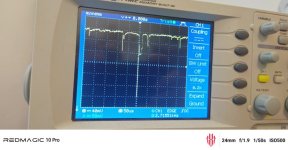
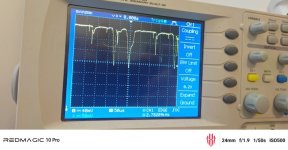
Do you have a scope? Hook it up to the XY output from the logic board. This will tell you if the issue is on the logic board or the deflection board.
 

big10p

Coins detected in pocket!
vacBacker
Feedback
12 (100%)
Credits
5,967CR
Use two probes and put the scope in XY mode. Digital scopes aren't very good at displaying vectors, but you should be able to see a rough version of the game playing. Do you have a test cart or a flash cart you can put the test cart ROM on? It will help to see if vectors are being output correctly from the logic board.
 
  • Like
Reactions: vsl

vsl

User
Feedback
1 (100%)
Credits
65CR
Guys, thanks for the idea! This is my first real experience with a vector system, so I honestly didn’t know about using the oscilloscope in XY mode for this kind of diagnosis. 🙂

That’s actually a brilliant trick — basically turning the scope into a second vector display and comparing what the logic board is generating with what the Vectrex CRT is showing.

I’m learning a lot from this repair already. The machine started as a silent white dot, and now we have sound and actual vector movement, so at least the patient is definitely alive. 😄

Thanks again for pointing me in the right direction — the hunt continues! 🔧
 

Georgian2

Active member
Feedback
12 (100%)
Credits
1,868CR
That’s actually a brilliant trick — basically turning the scope into a second vector display and comparing what the logic board is generating with what the Vectrex CRT is showing.
Classic CRT oscilloscopes are best for this kind of things. On most of them, one can use the Z input on the back too.
 
  • Like
Reactions: vsl

vsl

User
Feedback
1 (100%)
Credits
65CR
Hi everyone!

Despite trying everything I could think of, I'm still having problems with my Vectrex. At this point, I honestly don't know where else to look or what else to try to get the console working. I'm really eager to finally play it, so I'd be very grateful for any advice you can offer.

Since this is a US console originally designed for 120V, I've replaced the original transformer with a toroidal transformer with a 230V input and a 2 × 9V AC output. Both 9V outputs are stable.

I've also replaced the following: 4066, 4052, MC1408, LF347, LF353, ROM, 2 × 2114 RAM chips, 6522, and LM379.

I'm uploading a short video showing how it currently behaves.


vsl

User
Feedback
1 (100%)
Credits
65CR
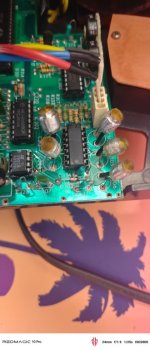
I inspected them, wiggled them, resoldered them, and wiggled them again. They aren't causing the problem. When I touch their solder joints underneath the board, the picture distorts in all sorts of directions, but the lines that should be dots remain lines.
 

vsl

User
Feedback
1 (100%)
Credits
65CR
Yes, I’ve tried adjusting both integrator pots (R333 and R335), as well as the size controls, but the problem remains. The frames are still badly curved, the text is distorted, and individual dots appear as short lines. The LF347 has already been replaced too.

Thanks for the suggestion about the integrator capacitors — I’ll check C312 and C313 next.
 
Top