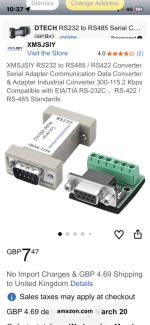
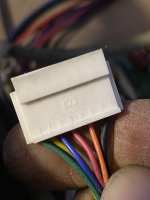
That converter may work but I have no experience of using one.
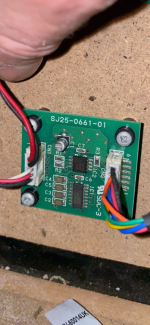
This is the pinout from Initial D4 manual as the R-Tuned one I found doesnt have clear wiring schematics.
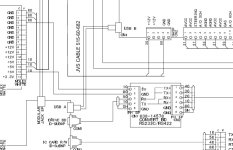
Pinout for that adapter
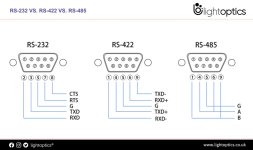
Details from a google search for probing the RS422 output, problem is the output may be fine and the input is the issue, and I dont know what the protocol for communication is so no idea what you should be expecting to see.
Scoping RS-422 (differential) output requires measuring the voltage difference between two lines (TX+ and TX-) relative to ground, ideally using two channels with math functions (CH1 - CH2) or a differential probe to avoid shorting. Key indicators include +-2v to +-6v differential signals, clean square waves, and proper termination.
Key Techniques for Scoping RS-422
Differential Measurement (Best): Use a dedicated differential probe to measure directly across TX+ and TX-
Two-Channel Method: Connect CH1 TX+ to and CH2 to TX-, both referenced to ground, then use the scope's math function to display
Single-Ended Spot Check: Monitor TX+ or TX- alone against ground to verify toggling, though this does not confirm the differential integrity.
Ground Reference: Ensure the scope ground is connected to the RS-422 signal ground (reference).
What to Look For
Voltage Levels: Differential voltage should be between 2V and 10V, with a minimum of 2V into a 100ohm load.
Signal Integrity: Look for clean square waves. Reflections or rounded edges indicate poor termination or excessive cable length.
Common Mode Voltage: The signals should mirror each other around a common-mode voltage (often 0V to 2.5V), staying within -7V to +7V relative to ground.
Troubleshooting
No Signal: Check that the driver is powered and the TX+ and TX- lines are not swapped.
Low Voltage: Ensure the line is terminated with a 100ohm to 120ohm resistor at the receiver.
Reflections/Noise: Verify that the cable is a twisted pair and that the cable length is appropriate for the baud rate