
From C:\
CD DOS
DIR/W
Then you should find ATTRIB, EDIT, and all the other useful stuff.
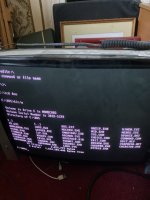
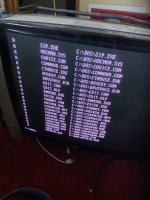
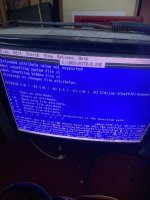
Last edited:

From C:\
CD DOS
DIR/W
Then you should find ATTRIB, EDIT, and all the other useful stuff.
Why are you trying to edit c:\AOS\autoexec.bat? As I’ve already told you - there is only one copy of autoexec that’s used/read/run and that’s the one in the root directory of c:\. Even if you had a copy of the file in c:\AOS it would not make any difference if you updated it because it’s never used.
I can quit out yes"Sound blaster enviromemt not set" - this means the part of the autoexec.bat script which sets this environment hasn't been run. That's the part of the script with the 'SET BLASTER=A222 I7 D0 etc." As someone else suggested, can't you just quit out of ArcadeOS to get to the C:/ prompt? If you do this, the setting from autoexec.bat including BLASTER and PATH will have run. The other option you have is to put a 'rem' before the part of autoexec.bat which starts arcadeos.


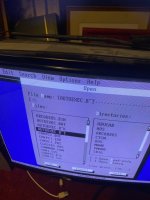
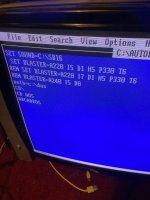
Legacy?I cannot find option in my bios to set the irQ to pnp/isa ?
Yes this is legacy I think so yesLegacy?
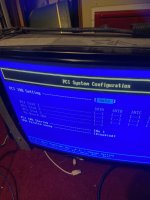
My pci irQ settings pageLegacy?
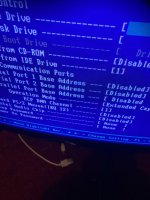
I can quit out yes
Esc quits out
See pic
View attachment 48456
To
C:\ aos
Now I can type edit
To get here
View attachment 48457
Then to c:\ autoexec.b~t
View attachment 48458
Is this ok?
View attachment 48459
In the original autoexc.bat
Was
set blaster=A240 , I10 , D0
If this was what it was before
It was working w
That's for the ECP printer portMy pci irQ settings page
View attachment 48460View attachment 48461
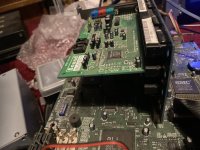
My cards in slot 2
And for DMA setting
All I can see is this
View attachment 48462
ECP DMA Chanel ..
I can choose from 1 or 3
BucksIt was mentioned a while ago that there was an issue with the CMOS backup battery.
If that's the case then your autoexec file should be fine and the settings in BIOS that govern the IRQ/DMA and addresses will have been lost.
Where are you, anywhere near Birmingham?
This build looks sounds and plays better than the i5 build I got in as a replacement ..Ok, I have a different route for you, while old hardware is nice, and so is tinkering, just build a better PC (doesn't have to cost loads) but the mame on that build is archaic and a lot of those games won't be near as well emulated as they are now, along with a shit ton of games not even emulated on it, an ATI card that can do the needed output is what £15 with a bit of searching, and FB market place can have a 3rd gen i5/7 build for £50 if you bide your time!
It's a route - but I'll be using ancient PC boards and old processors because of the amount I have, low cost, low power requirements, capacitor longevity, keeping in with DOS and general configuration... so many reasons that this is and has to be part of my hobby. It's easy to have an i5 with a GUI and 10TB of games I'll never play. PIII machines are way good enough for certain emulation purposes.Ok, I have a different route for you, while old hardware is nice, and so is tinkering, just build a better PC (doesn't have to cost loads) but the mame on that build is archaic and a lot of those games won't be near as well emulated as they are now, along with a shit ton of games not even emulated on it, an ATI card that can do the needed output is what £15 with a bit of searching, and FB market place can have a 3rd gen i5/7 build for £50 if you bide your time!
Hmm, a journey. With the main PCB, VGA, sound, and HDD, I'm sure it could be done in less than an hour. If you're ever up this way...Bucks
I'm with this guy.This build looks sounds and plays better than the i5 build I got in as a replacement ..
😃
I’m more than happy with pre 1990 in this and I’m not sure if it’s the software or the hardware but it just has a really nice picture considering it’s 31 kHz vga it looks 15khz to me ..
And sound blaster gives it great sound .
I am well appreciative of being told how to negotiate around learning how to navigate.
I’m enjoying it !
And I will be getting another 486 dos for sure hopefully this one can have working sound before I get another .
I May have to do thatHmm, a journey. With the main PCB, VGA, sound, and HDD, I'm sure it could be done in less than an hour. If you're ever up this way...
EspecialyI'm with this guy.

