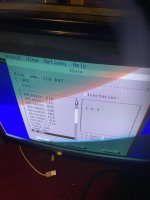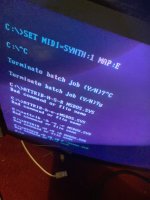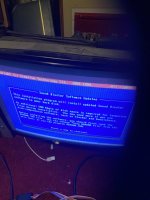
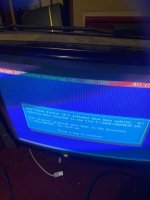
Game still no working ..

Yes you can. First you need to switch to the directory which contains autoexec.bat which is c:/. From c:/aos type “cd ..”. The prompt should change from c:/aos to c:/. Then try “edit autoexec.bat”.
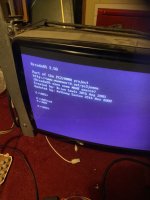

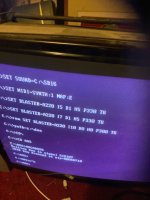 I have managed to edit
And then reapply the hidden, system and read-only attributes.So, you have Windows installed and not just MS-DOS, right? Have you edited MSDOS.SYS to boot straight to DOS? It's a hidden file in the root directory which you first need to make visible with the command
attrib -h -s -r MSDOS.SYS
then edit it and change
BootGUI=1
Logo=1
To:
BootGUI=0
Logo=0
See if that helps.
Thanks this acer logo is doing my head in..So, you have Windows installed and not just MS-DOS, right? Have you edited MSDOS.SYS to boot straight to DOS? It's a hidden file in the root directory which you first need to make visible with the command
attrib -h -s -r MSDOS.SYS
then edit it and change
BootGUI=1
Logo=1
To:
BootGUI=0
Logo=0
See if that helps.
You may have to walk me through that.And then reapply the hidden, system and read-only attributes.
I actually don’t know if i have windows installed .So, you have Windows installed and not just MS-DOS, right? Have you edited MSDOS.SYS to boot straight to DOS? It's a hidden file in the root directory which you first need to make visible with the command
attrib -h -s -r MSDOS.SYS
then edit it and change
BootGUI=1
Logo=1
To:
BootGUI=0
Logo=0
See if that helps.
It’s running in dos I think mate ?Ah, are you running this in 95/98 in a DOS box etc. and not in plain old DOS?
That could be a problem.
ATTRIB +H +S +R MSDOS.SYSYou may have to walk me through that.
I can’t get back to c promtATTRIB +H +S +R MSDOS.SYS
or ATTRIB +H +S +R C:\MSDOS.SYS
Any spaces in this ?ATTRIB +H +S +R MSDOS.SYS
or ATTRIB +H +S +R C:\MSDOS.SYS
So, you have Windows installed and not just MS-DOS, right? Have you edited MSDOS.SYS to boot straight to DOS? It's a hidden file in the root directory which you first need to make visible with the command
attrib -h -s -r MSDOS.SYS
then edit it and change
BootGUI=1
Logo=1
To:
BootGUI=0
Logo=0
See if that helps.