Bally Astrocade on FPGA

Macro

Active member
vacBacker
Feedback
4 (100%)
Credits
1,982CR
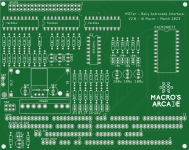
I have started sorting out the single PCB with connectors for Gorf, Wizard of Wor, Space Zap and Robby Roto. (not planning to do extra bases or sea wolf II, not sure anyone has them!)

If you have any of these (except Gorf!) can you check that the pin layout matches what you have on the cab (or send me a picture of them as a safety check)

I'll probably move the right hand connectors in towards the centre so they all allign with the 'CON2' connection.

Robby Roto has a third connection, not needed at the moment (would only be required if I update it to output the weird Astrocade component video - needs a major change to the core!)

AllIn&
 

Macro

Active member
vacBacker
Feedback
4 (100%)
Credits
1,982CR
I have a question on Space zap for any owners ..

In the schematics it shows the video signal (the Y line) being processed as per normal astrocade (i.e. not normal) - it then goes via a second transistor hooked between -5v and 12v and is fed to a second video processing board, which kicks out (what I hope is) a normal composite video signal as well as seperate horizontal and vertical sync signals.

However, then in the monitor schematics there is only a connection for the composite video signal.

If this is generally true I can just generate a 'standard' composite video signal - can Space Zap owners please check this for me.

p.s. the schematics also show the generation of the necessary Y,YR and YB lines, so the board has the full colour signals available, even if it doesn't include them on the pinout!

Of the two space zaps I have seen in the wild, one was B&W and one was colour.

Getting there with PCB

Has options for two types of power regulator to generate power for DE10 (or can use direct from Gorf PSU if you wish), added missing mounting holes, moved the video connection to a sub-PCB connected by a 6 pin IDE cable (since all cabs seem to have RGB board away from main PCBs). Also started tidying up the silk print. still a bit more to do before hitting the order button for the test ones.
 
Last edited:

DonkeyKongler

Newbie
Feedback
1 (100%)
Credits
106CR
Macro said:
the schematics also show the generation of the necessary Y,YR and YB lines, so the board has the full colour signals available, even if it doesn't include them on the pinout!
you are right,
if you do this..........

zapp_testschaltung.jpg


you get a coloured spaze zap........
smiley1.gif

zapp_farbe_own_mobo_2.jpg
DonkeyKongler2023-02-08 23:57:31
 

Macro

Active member
vacBacker
Feedback
4 (100%)
Credits
1,982CR
Almost final version, just need to do some testing with the Space Zap RGB - Composite circuit, I may end up using the SOG (Sync on Green) circuit from the analogue IO PCB instead. Just need to see what works on my Commodore monitor.

After that some sanity checks to make sure everything is connected where it should be, some tidying of silk print so it shows values for things everywhere and order some to test out!
 
Last edited:

Macro

Active member
vacBacker
Feedback
4 (100%)
Credits
1,982CR
I changed the Space Zap BW composite to use the same circuit as the IO board, since that should not affect the RGB signals if fitted (although why would you fit it if you didn't want to use it in a monochrome space zap?). Have double checked the connections and fixed a couple, and it should now be complete. I still have some silk screen bits to fix so I get the values shown on all the resistors but hopefully will be ordering some to test it all out later this week.
 

Macro

Active member
vacBacker
Feedback
4 (100%)
Credits
1,982CR
Gorf-V2.jpg
I populated the necessary locations for Gorf on the new board, did some sanity checks to make sure I wasn’t putting 5v down any lines to the DE10-Nano, discovered a missing track and some layout errors.

It all works and I finally managed to get the speech working from DDRAM, so you don’t actually need to fit a ram expansion to use it. (helps keep the cost down a little)

I still need to sort out the composite signal for space zap, the third sound channel for Wizard of Wor and try out the three possible power supplies. (direct 5v from loom, K7805-2000 regulator or LM2596 DC-DC converter) and then find somewhere to plug them into said cabs and see if it works!
 
Top