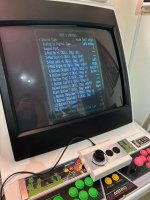
Recalbox RGB Jamma

Sp33dFr34k

Newbie
Feedback
2 (100%)
Credits
40CR
Pull the test pin or service pin on the jamma connector dose nothing.
I realised that the image is 1920 pixel wide, resizig it in paint make it look a lot beter. pixel perfect my ass.
The french guys from recalbox won't bother to answer my emails. Great pice of technology.
It's what they call a super resolution, that's why it's so wide. I can't explain it very well, but it helps with scaling as there's so many different resolutions.
 

Wahoobies

Active member
vacBacker
Feedback
1 (100%)
Credits
418CR
Pull the test pin or service pin on the jamma connector dose nothing.
I realised that the image is 1920 pixel wide, resizig it in paint make it look a lot beter. pixel perfect my ass.
The french guys from recalbox won't bother to answer my emails. Great pice of technology.
They're really helpful actually- never know if your mails might get filterd or something by aggressive spam checkers. They aren't a huge behemoth company or anything, this is hobbyists making cool stuff like a lot of the scene.

There is a Recalbox discord channel and I've had a lot of fast personal responses there

Regarding screenshots- some resolution scaling tricks are needed to take a 15khz horizontal screen and have sensible modelines for all the other resolutions they support (including vertical games!). Not sure if you've messed around with software mame machines before- it used to be that doing all the crazy timings/modelines etc for advancemame would be weeks of work. I found this to be almost plug and play, which is insane to me.

I was not expecting vertical games to seamlessly work out of the box (only some with graphical squishing that is overly distracting)!

Stuff that took me a while:
- finding out where to put the artwork files to get backdrop working
- tweaking retroarch to make vectors look *passable*, or at least not "completely shite"
- voltage/overvoltage issues with New Astro City.. hard to get PSU to output clean 5v and 100!
- some of the config menus default to non-jamma cab 15khz settings. Learning all of those to get nice preview screenshots etc took a while
- loading up favorites
- figuring out how to hide stuff I don't use, messing with some of the ports (quake on jamma is hillarious)
- linux stuff.. I like to ssh into it and do things via CLI..
- switching from SD card to NVMe drive. Huge upgrade, bit of raspberry pi know-how to get it working


I use a mix of mame and fbneo mostly.


Happy to help out if you want getting stuff working
 

councilface

Active member
Credits
172CR
Has anybody had any luck getting a spinner to work with their recalbox? I have movement but arkanoid is unplayable due to lag
Ok I've nearly dialed it in. It seems that the magic is in the tuning. I'm struggling to get retroarch to recognise fast responses, so any help with that would be appreciated. Nearly there though.
 

Wahoobies

Active member
vacBacker
Feedback
1 (100%)
Credits
418CR
Anecdotally it seems to help with input lag.. I don't really know how to test it more accurately.

I originally got MisterFPGA thinking It'd be more accurate for input. I tried runahead on recalbox and it seems to give me as-good-as-I-can-tell-the-difference performance for input.

I used to play a lot of street fighter alpha 3- some of the moves are quite tricky to combo if there is input lag, and both mister and recalbox jamma with runahead on seem seem about identical to me.

My mister is gathering dust.. the UI and polish on recalbox just make me leave that in all the time.
 

councilface

Active member
Credits
172CR
Anecdotally it seems to help with input lag.. I don't really know how to test it more accurately.

I originally got MisterFPGA thinking It'd be more accurate for input. I tried runahead on recalbox and it seems to give me as-good-as-I-can-tell-the-difference performance for input.

I used to play a lot of street fighter alpha 3- some of the moves are quite tricky to combo if there is input lag, and both mister and recalbox jamma with runahead on seem seem about identical to me.

My mister is gathering dust.. the UI and polish on recalbox just make me leave that in all the time.
Nice one, I'll give it a try.
 

Wahoobies

Active member
vacBacker
Feedback
1 (100%)
Credits
418CR
I've got one of these using the PC firmware (mouse L/R)

Running it thusly:
1742064005088.jpeg

I have the runahead OFF and reduced latency ON.. It's pretty good on tempest. Maybe laggy on arkanoid, hard for me to tell as I'm shit at it
 

Mr_Karate

User
Feedback
1 (100%)
Credits
174CR
I’ve just ordered everything needed to set this up. I got a 4GB Pi 5 as that’s what is recommended instead of the 16GB that I was going to get.

MiSTer only goes up to CPS-2, so is a bit limited for me. This can also run JVS stuff without a JVS setup, so even better.

One thing that I can’t find anywhere is if the OLED can be inverted? Otherwise it will be upside down in my cab going from all the photos of the unit that I’ve seen.
 

councilface

Active member
Credits
172CR
I've got one of these using the PC firmware (mouse L/R)

Running it thusly:
View attachment 35307

I have the runahead OFF and reduced latency ON.. It's pretty good on tempest. Maybe laggy on arkanoid, hard for me to tell as I'm shit at it
Do you know what PPR it runs at please? (Pulses Per Revolution)
 

Wahoobies

Active member
vacBacker
Feedback
1 (100%)
Credits
418CR
I’ve just ordered everything needed to set this up. I got a 4GB Pi 5 as that’s what is recommended instead of the 16GB that I was going to get.

MiSTer only goes up to CPS-2, so is a bit limited for me. This can also run JVS stuff without a JVS setup, so even better.

One thing that I can’t find anywhere is if the OLED can be inverted? Otherwise it will be upside down in my cab going from all the photos of the unit that I’ve seen.
pretty sure it has screen rotation in the UI/config for recalbox.. How are you connecting to your screen? oled doesn't sound like typical jamma, is it VGA connector?
 
Top